Nine reasons teams coordinate in SpaceDesignX.
One Design Intelligence Platform for BIM coordination: AI Clash Detection in the cloud, automatic issues and assignment, AI Auto-Resolution, and every view of the building, from the 2D plan to Virtual Reality.
Headless Clash Detection
Clash Detection runs in the cloud on every model drop. No desktop software, no model to open.
Open BIM Standards
IFC in, BCF out. Works with Revit, ArchiCAD, Tekla and every tool that speaks openBIM.
Multi-Disciplinary Coordination
Architecture, Structure, Mechanical, Electrical, Plumbing and Fire, checked together.
Clash Groups And Clash Pairs
Hundreds of Clash Pairs become a short list of Clash Groups, each with one root cause.
Rule-Based Issues With AI Assignment
Rules raise the issues; AI assigns each BCF issue to the right person.
AI Auto-Resolution
AI Preview Fix finds the move that clears a clash, then plays the Pre-Fix and Post-Fix views.
3D And 2D Views
A fast 3D viewer and real 2D Floor Plans cut from the model, with clash markers on both.
Easy Walk Mode And Virtual Reality
Walk the building at eye height, or put on a headset and stand inside it.
Object Parameters
Every element's IFC properties, a click away in the Model Tree.
Clash Detection that runs without anyone watching.
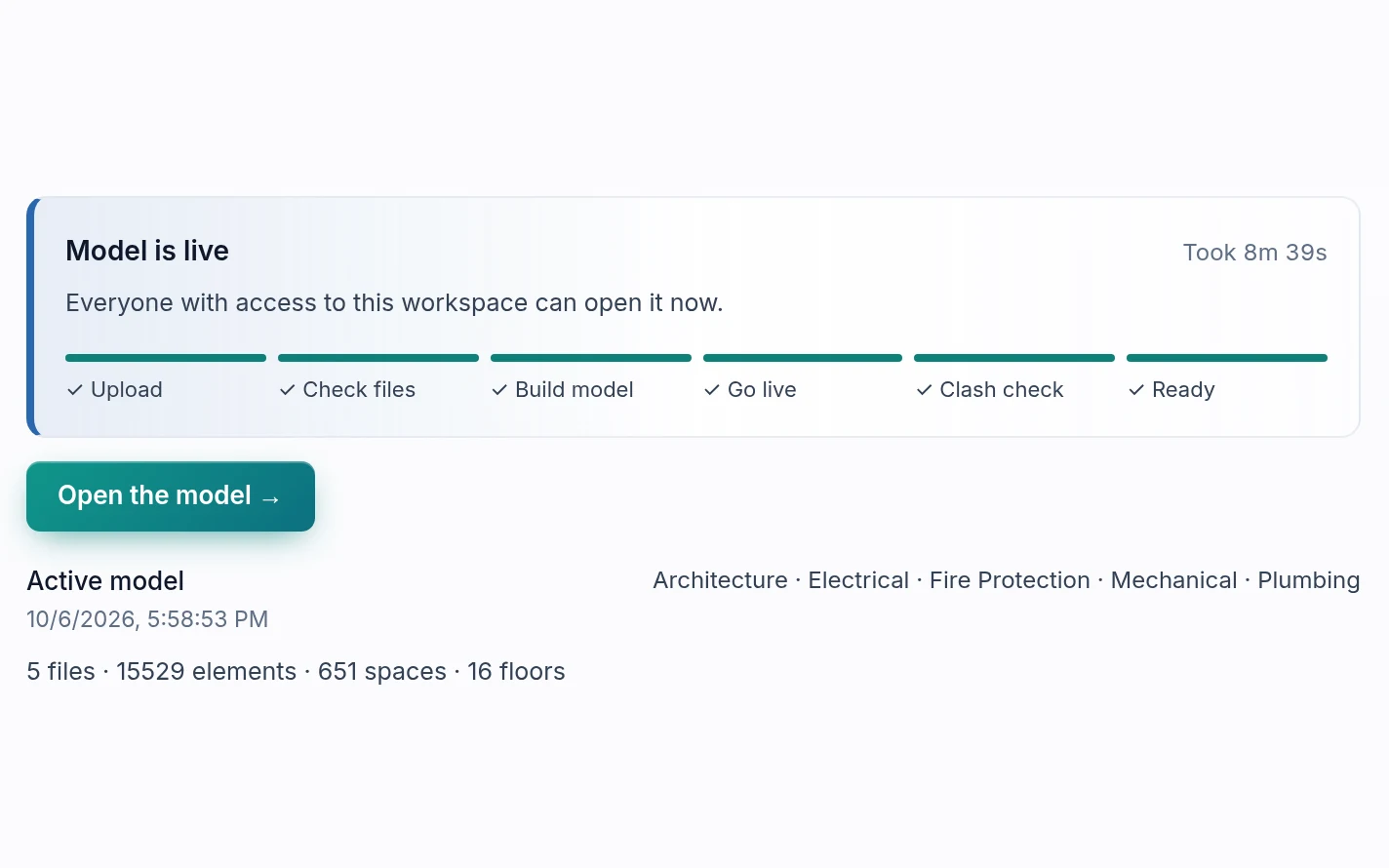
Upload the discipline IFC files and SpaceDesignX runs the full Clash Detection in the cloud, in the background. Nobody has to open the model, keep a laptop awake or own a desktop licence. When you log in, the results are classified, grouped and waiting.
- Cloud-based Clash Detection on every new model version
- Runs in the background while your team works
- Large federated models, hospital scale and up
- Results ready in the browser, no install
Built on openBIM, so nothing locks you in.
SpaceDesignX reads IFC, the open buildingSMART standard every major authoring tool exports, and sends issues back as BCF, the open format for coordination issues. Your designers keep their tools; your data stays yours.
- IFC models from any authoring tool, no plug-ins
- BCF 2.1 export with viewpoints and element IDs
- Element GlobalIds kept across model revisions
- No special preparation or tagging of the model
Every discipline, one federated model.
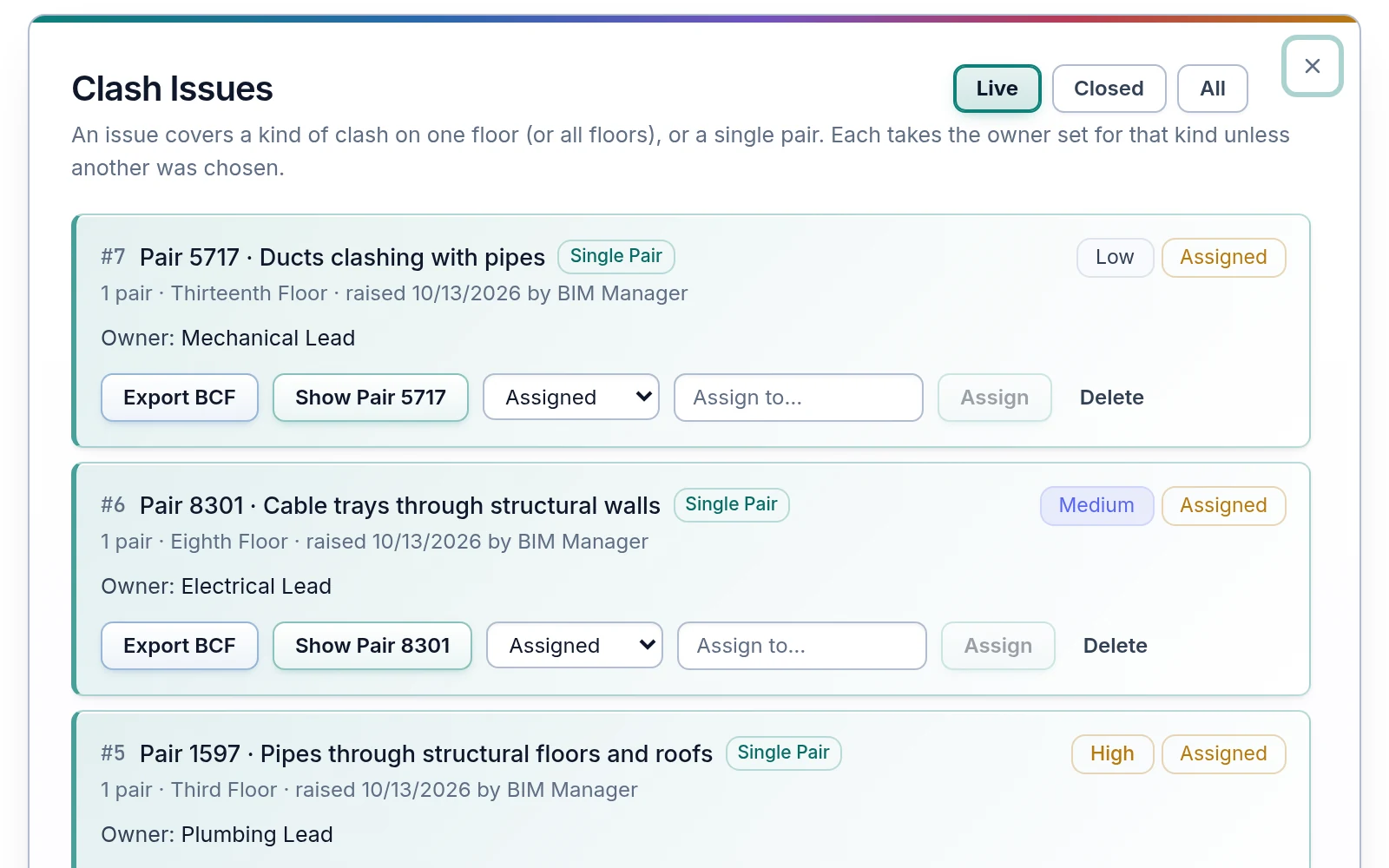
Bring the architectural, structural and MEP models into one workspace. SpaceDesignX checks every discipline against every other and within each file, and knows what each element is from the model itself, not from the file it came in.
- Between-discipline and within-discipline checks
- One colour per discipline on every screen
- Duplicate elements across files recognised, never double-counted
- Results that never depend on upload order
Decide once for forty clashes.
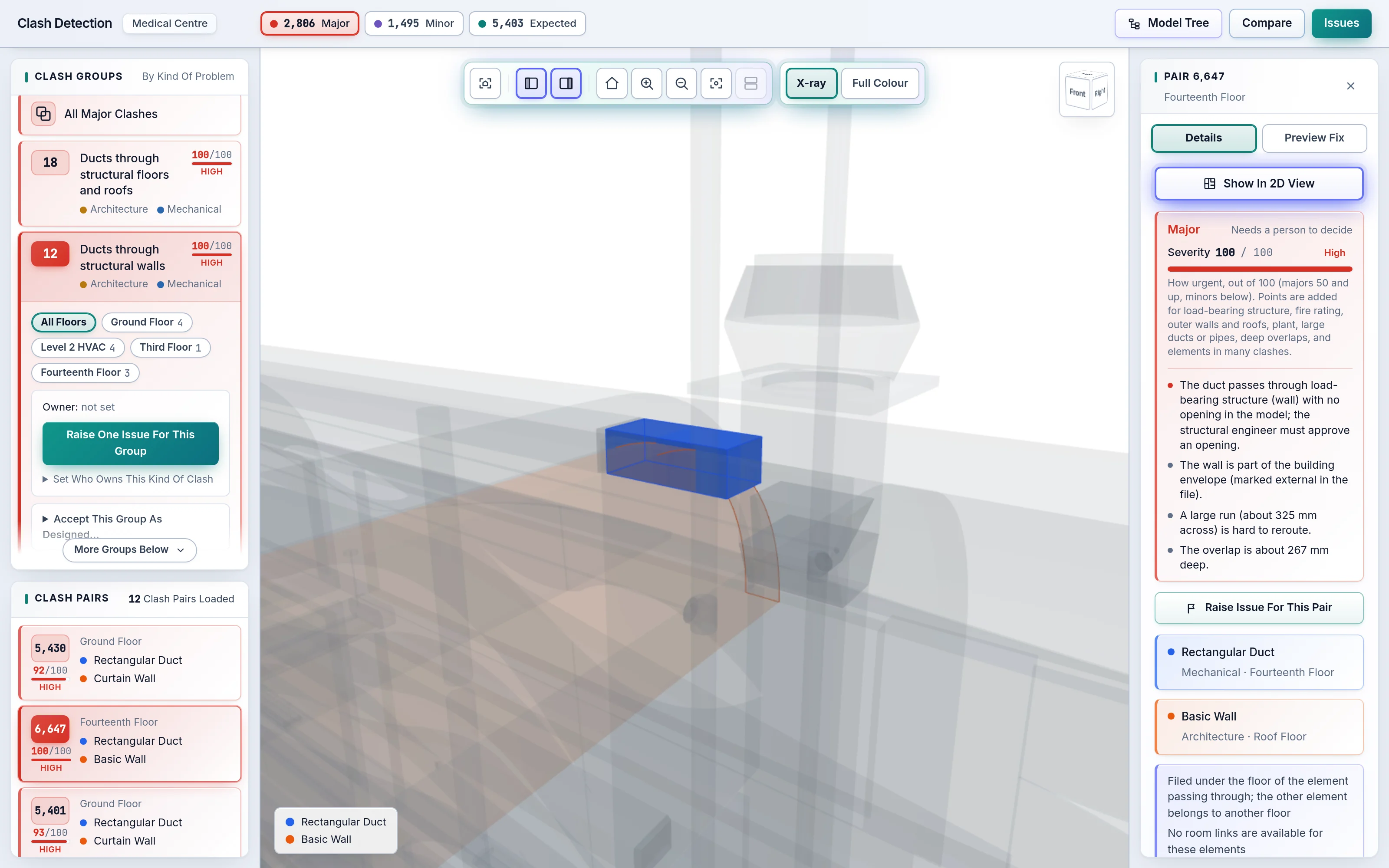
Clash Pairs that share one cause, like services through the Level 2 slab, are collected into a Clash Group. Each pair and each group is classed Major, Minor or Expected and scored 0–100, with the reason written out. Your team works the short list, not the long one.
- Major, Minor and Expected classes with plain-language reasons
- Severity 0–100 with High, Medium and Low bands
- Open a group, then drill into each Clash Pair
- Compare any two runs: new, resolved and unchanged clashes
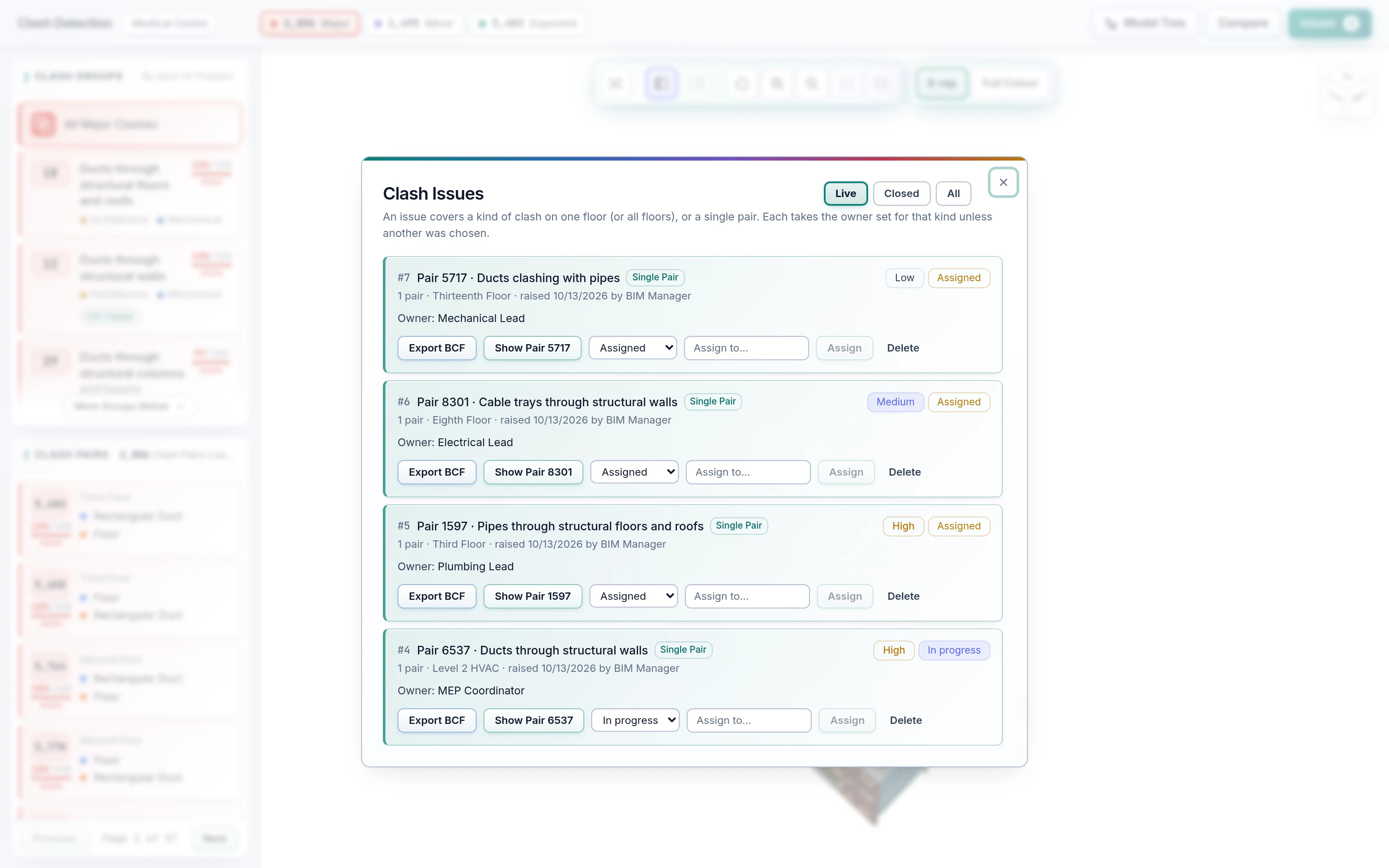
Issues that create and assign themselves.
Set Rules once per clash type and SpaceDesignX raises the issues for you, with owner and priority already filled in. AI Auto-Assignment learns who resolves which kind of clash and routes each BCF issue to the right engineer, so nothing sits unassigned.
- Rule-Based Auto Issue Creation per clash type
- AI-based Auto-Assignment of BCF issues
- Priority from your Rules or from severity
- One live issue per clash, never assigned twice
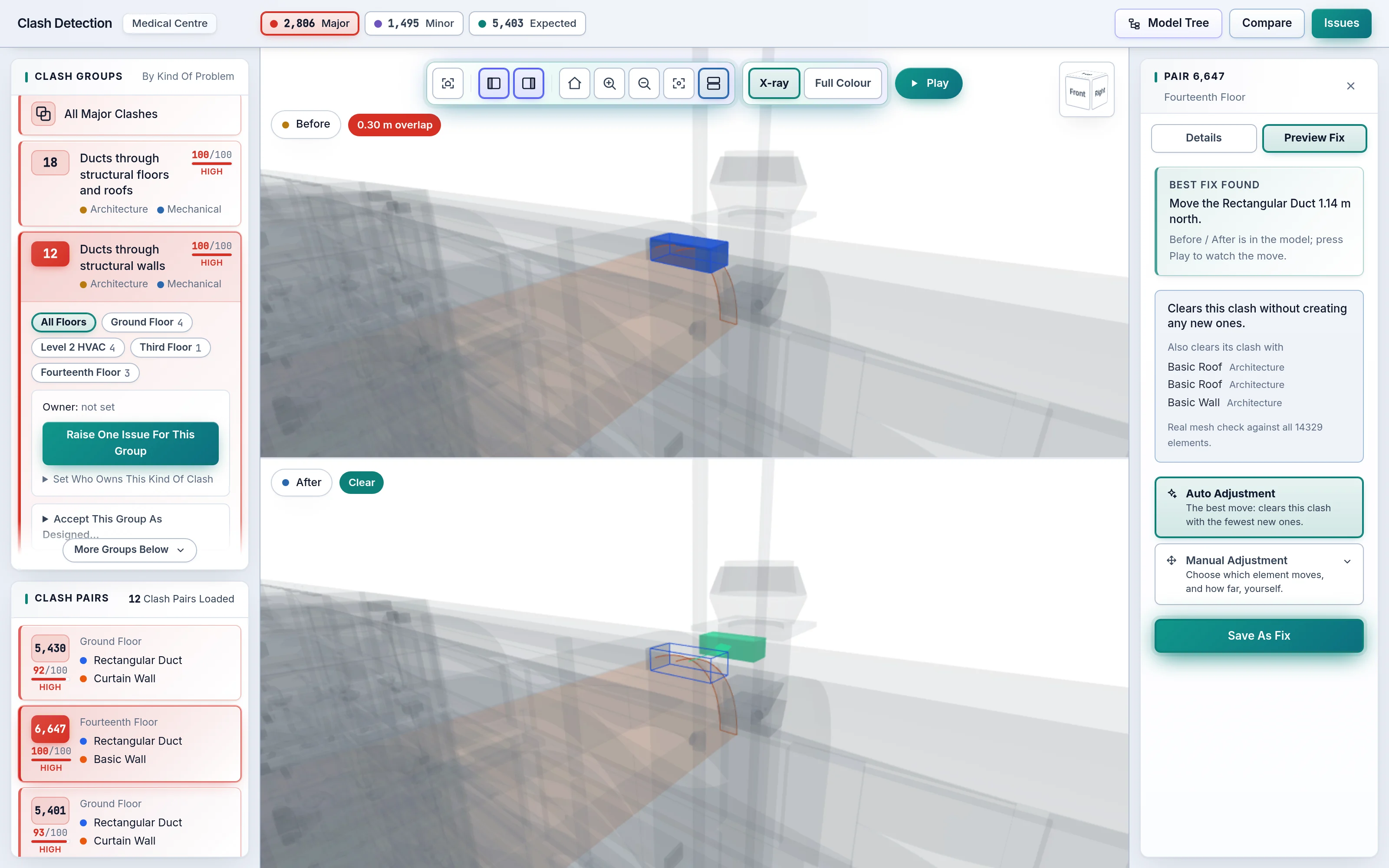
The fix is proposed, checked and played back.
Open any clash and AI Preview Fix searches for the move that clears it while creating the fewest new clashes anywhere in the building. Every candidate is checked against the whole model, not just the pair. Play the Pre-Fix and Post-Fix views side by side, adjust by hand if you know better, and save the fix with its issue.
- AI Auto-Resolution checked against the whole building
- Play Pre-Fix and Post-Fix views, animated in 3D
- Auto Adjustment and Manual Adjustment side by side
- New clashes a move would cause are named, never hidden
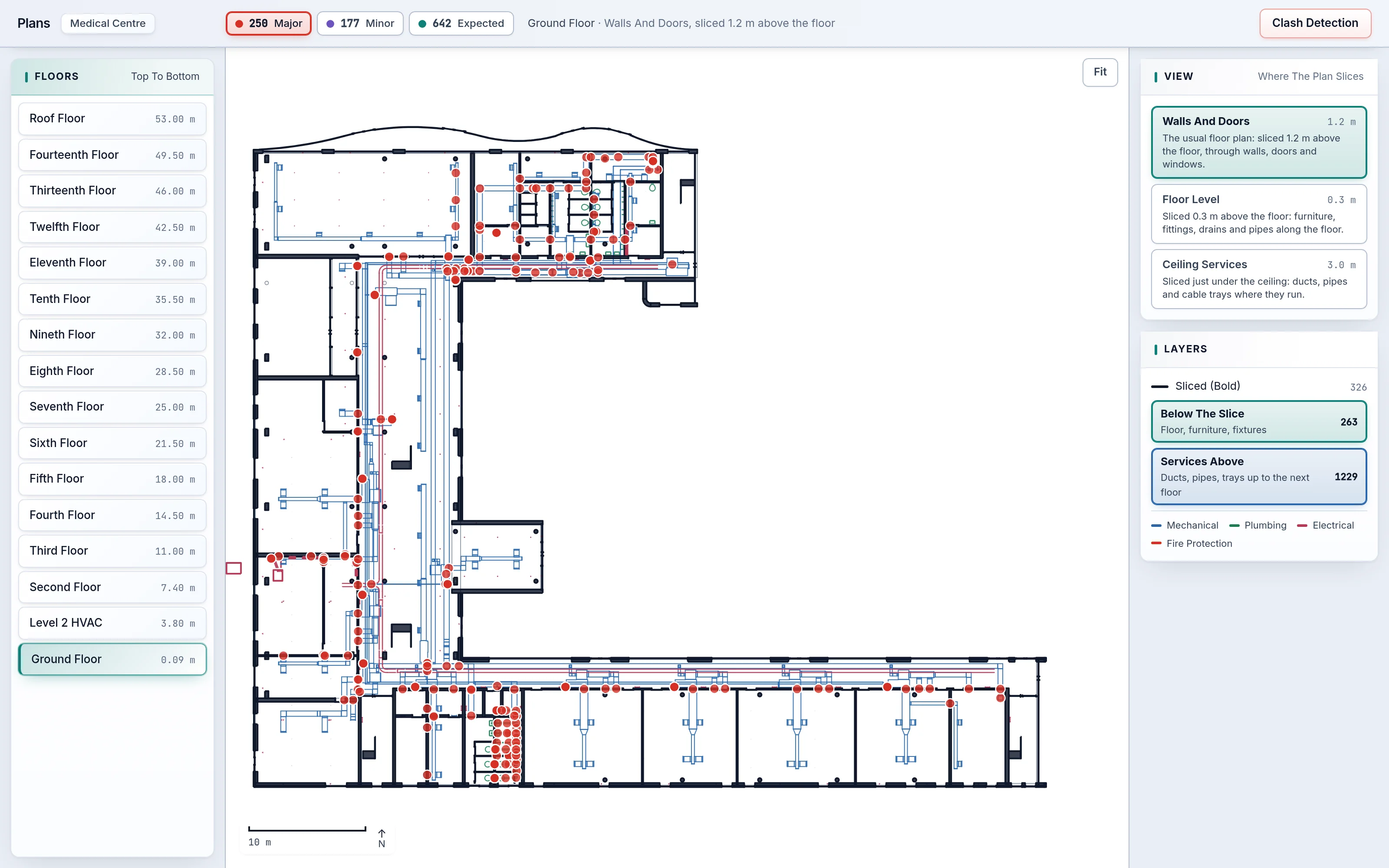
The same clash, in 3D and on the plan.
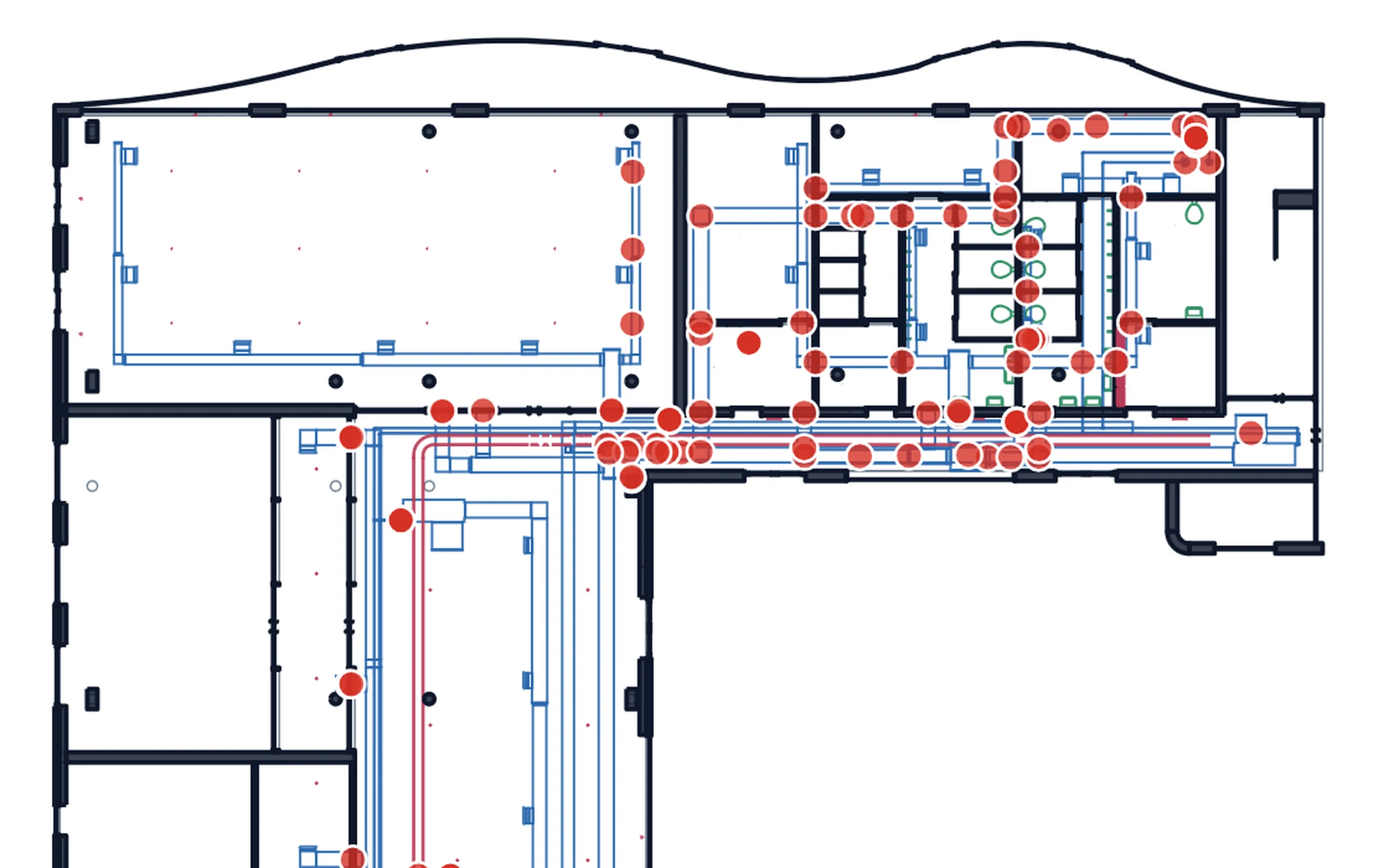
Orbit the federated model in 3D with X-ray to see through ceilings and walls. Switch to 2D Floor Plans that are real section cuts through the model at wall height, floor level and ceiling services. Clash markers sit on both; click one and jump straight to it in the other view.
- 3D viewer in the browser, built for large models
- 2D Floor Plans even when the IFC has no drawings
- X-ray and isolate to see exactly the clash
- One click between the plan and the 3D view
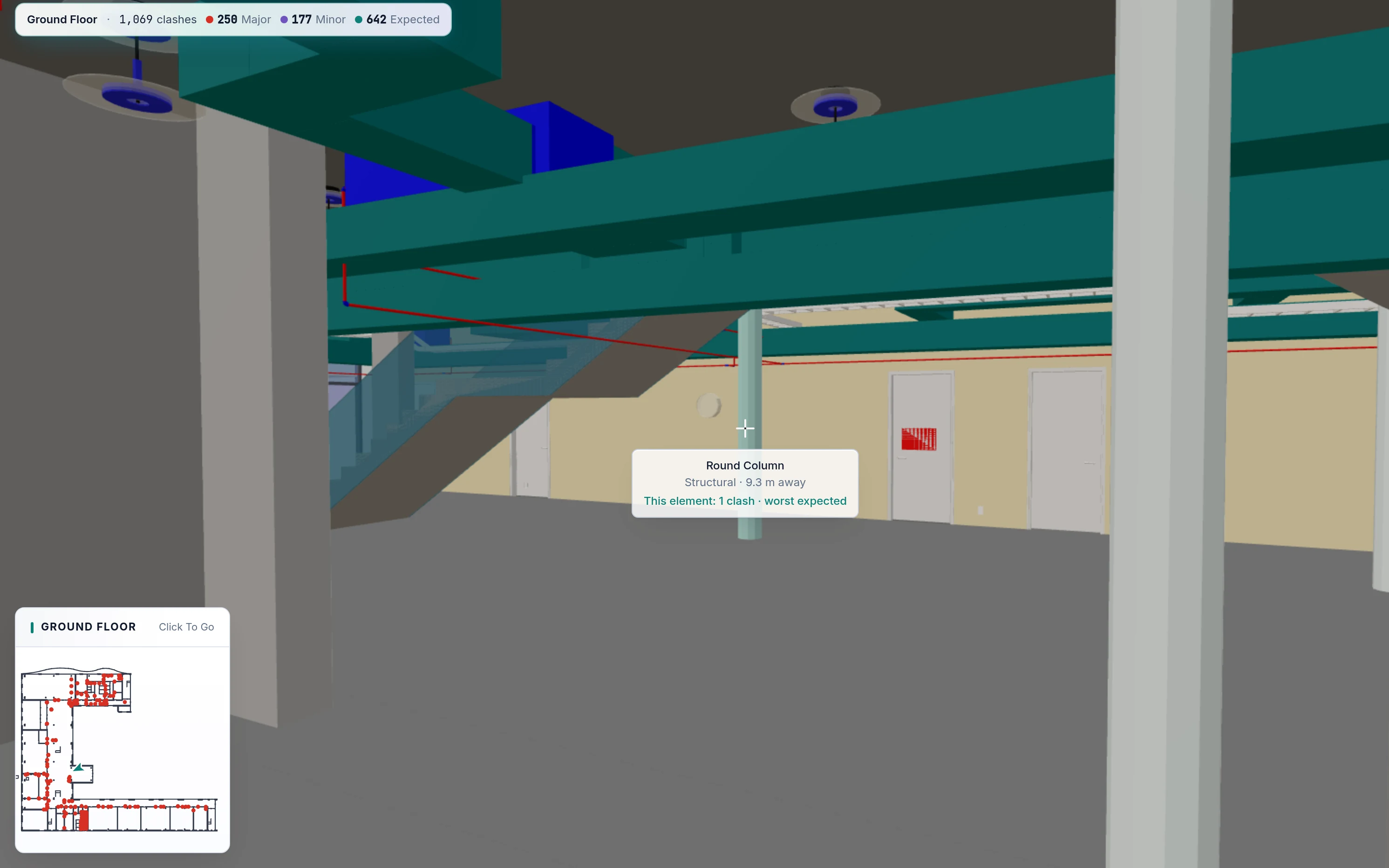
Walk the corridor before it is built.
Easy Walk Mode works like a game: you stay on the floor, climb the stairs and pass through every door, with a mini-map and a Next Clash button. Virtual Reality Mode takes the same building into a headset at true scale, so owners and site teams can stand where the clash is.
- Keyboard and mouse, no training needed
- Virtual Reality Mode for immersive design review
- Aim at any element to see what it is and whether it clashes
- Mini-map and Next Clash on every floor
From the whole building to one bolt, and back.
The Model Tree organises the building by floor, discipline, type and element, with counts on every node. Choose anything and only that is shown. Click any element in 3D, on a plan or in the tree to see its Object Parameters: type, material, dimensions and every IFC property set.
- Model Tree by floor and discipline
- Full IFC property sets for every element
- Isolate any floor, type or element in one click
- The same inspector in 3D, 2D and the tree
See all nine on your own model.
Send us an IFC set you know well. We will run AI Clash Detection on it live and walk you through what it finds, what matters and the fixes it proposes.