From IFC files to resolved, assigned issues.
Five steps, one building, mostly automatic. Each step uses the same model and the same colours, so nothing gets lost between the clash and the person who fixes it.
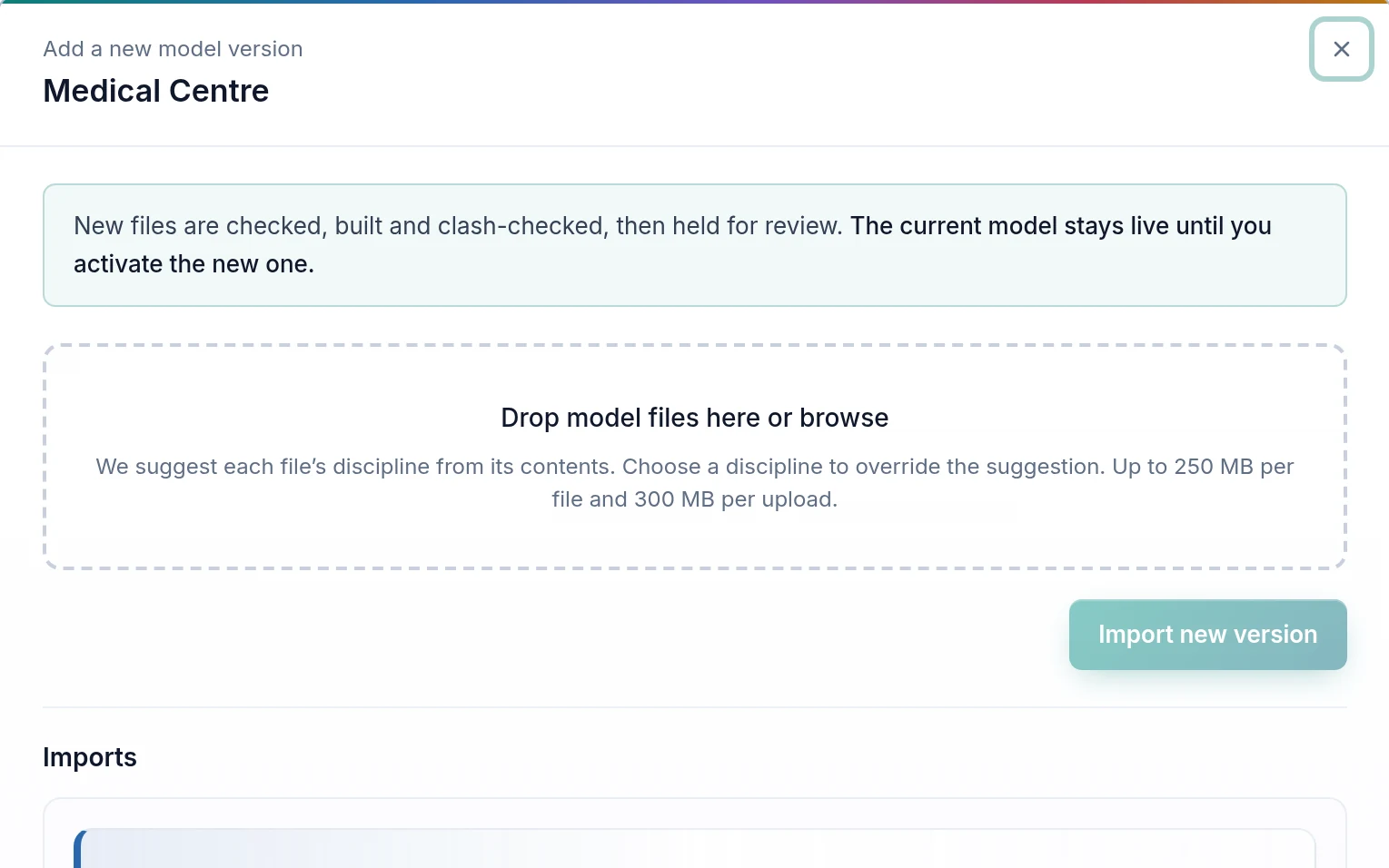
Import Your IFC Files
Create a workspace, name the project and drop the discipline models: architecture, structure, mechanical, electrical, plumbing, fire. Files are read in a fixed order, so the result never depends on which file you uploaded first.
- IFC from Revit, ArchiCAD, Tekla, and other tools
- Progress shown for every file
- A new version is checked before it goes live
Detect Every Clash
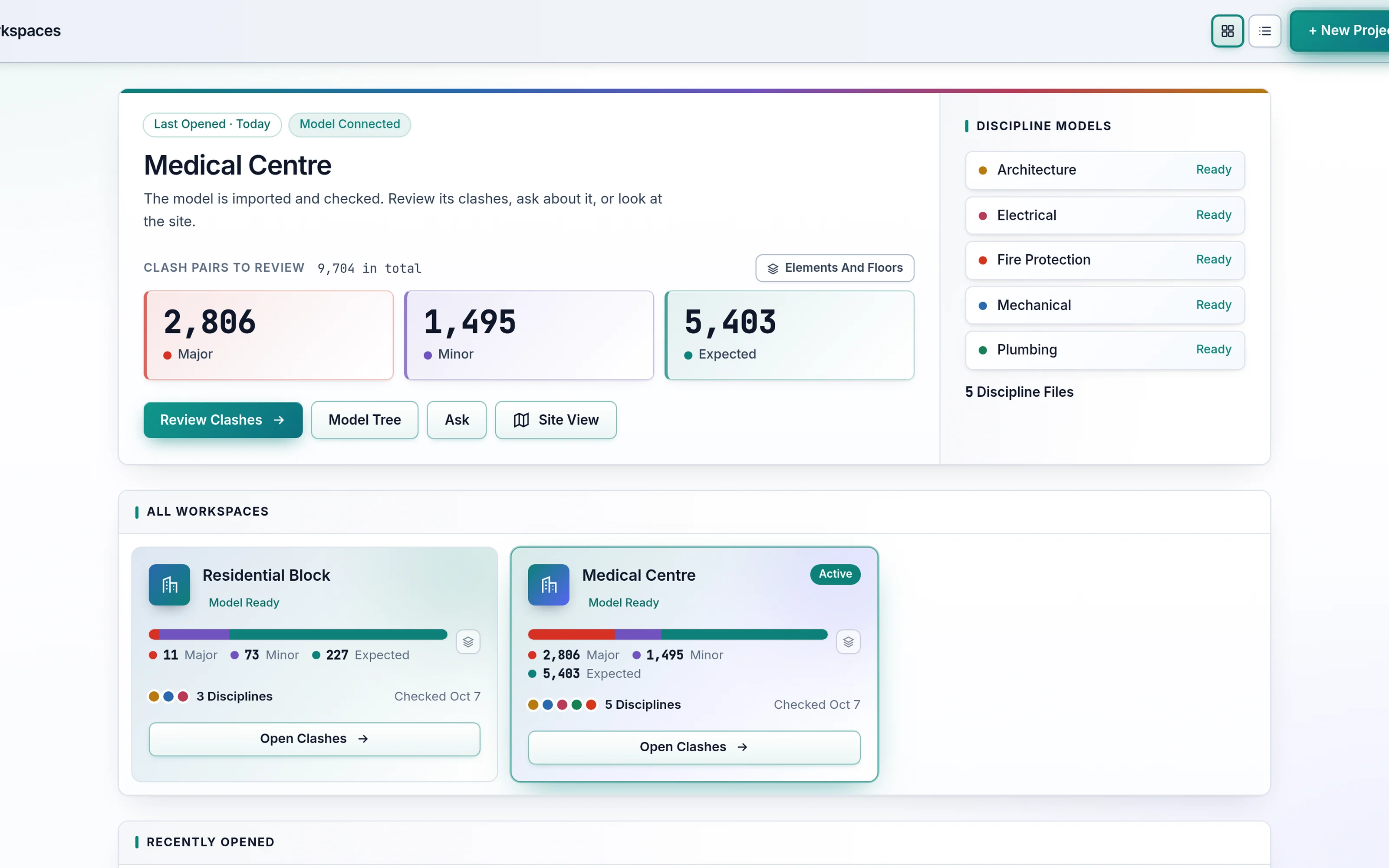
Headless Clash Detection runs in the cloud and tests every element against the others, across and within files. The clash list and the fix preview work from the same check, so they always agree on what counts as a clash.
- Hard clashes, measured: depth and overlap volume
- Openings and host relations recorded
- Built for large, multi-discipline models
Understand Which Ones Matter
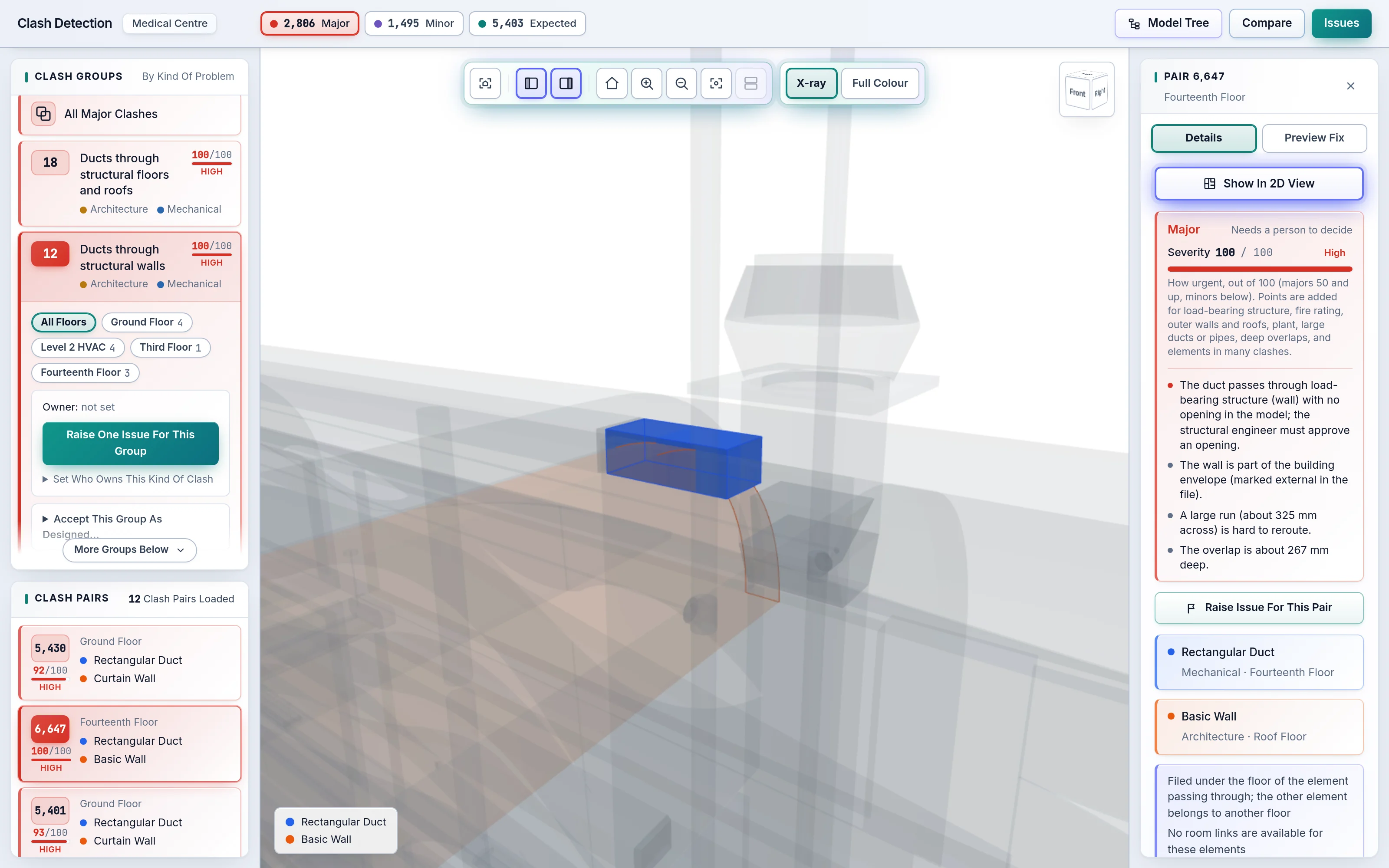
Each clash is classed Major, Minor or Expected and scored 0–100, with the reasons spelt out. Clash Pairs with one cause become a Clash Group, so your team decides on twelve problems, not three hundred rows.
- Rules and thresholds editable by experts
- Same verdict wherever the clash appears
- Start with Major; Minor and Expected a click away
Resolve With AI
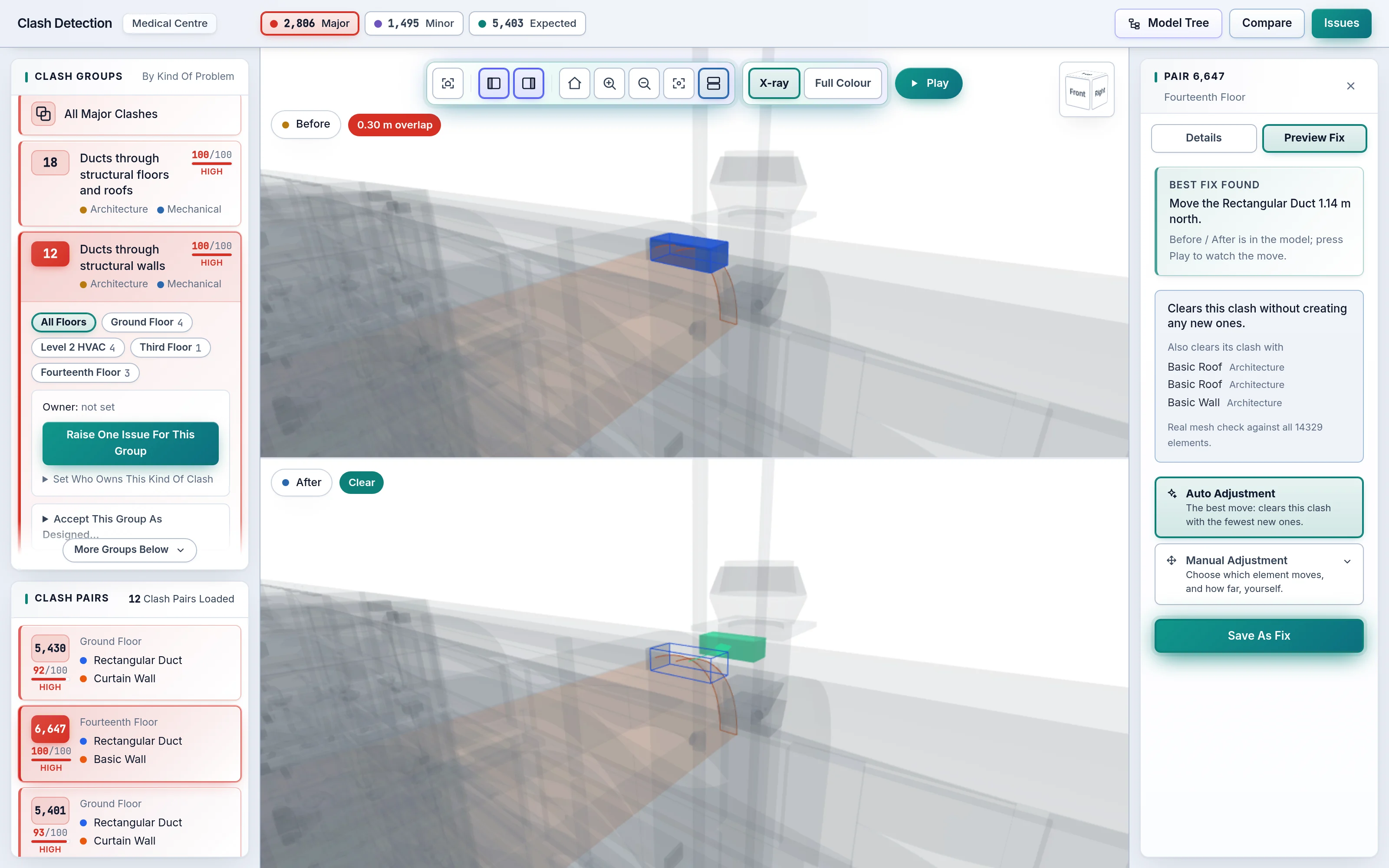
For a chosen clash, AI Auto-Resolution tries moves of either element and checks each against the whole building. AI Preview Fix proposes the move with the fewest new clashes, shortest on a tie, and plays the Pre-Fix and Post-Fix views.
- Manual Adjustment for anything else
- New clashes named and shown, never hidden
- Save the fix for the designer
Assign And Close
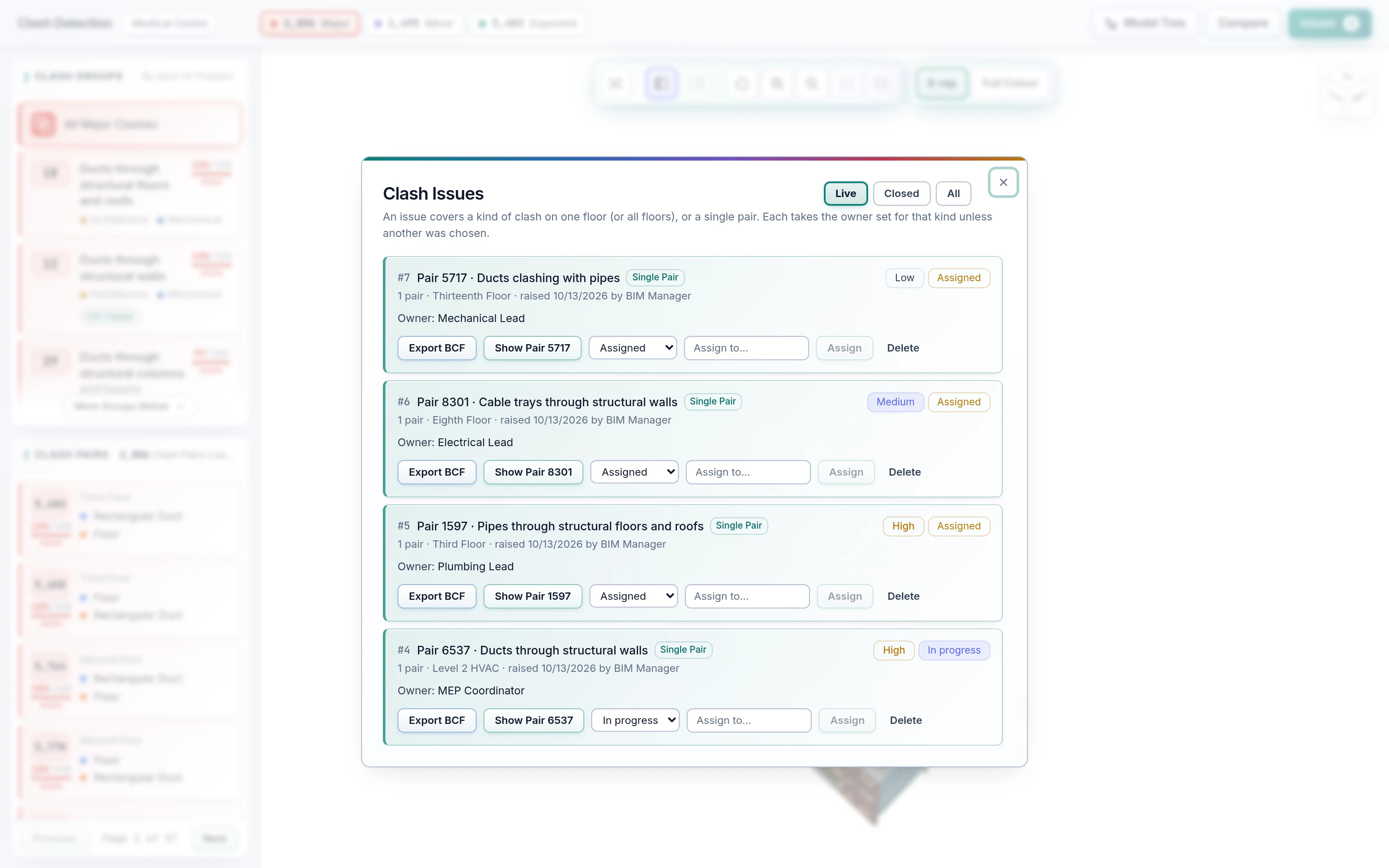
Rules raise issues per Clash Group or Clash Pair, and AI Auto-Assignment gives each one the right owner and priority. Track status to closure, export to BCF for the authoring tools, and compare the next model drop against this one.
- Rule-Based Auto Issue Creation
- AI-based Auto-Assignment of BCF issues
- Run-to-run comparison on every new version
What teams ask first.
Do we need to install anything?
No. SpaceDesignX runs in a modern browser. Model files are cached in your browser per user and version, so reopening a project is fast.
Which file formats are supported?
IFC, the open buildingSMART standard that every major authoring tool exports. Issues export as BCF, the open standard for exchanging coordination issues.
Do I have to tag or label my model first?
No. The engine reasons from what is in the IFC: element types, disciplines, geometry and relationships. Experts can tune the rules, but a model exported without special preparation works.
How are expected clashes recognised?
From the model's own relationships, such as an element sitting in an opening or hosted by a wall, combined with the element types and how deep the overlap goes. The reason is shown with every verdict.
Does SpaceDesignX use AI?
Yes. AI Clash Detection classes, scores and groups clashes, AI Auto-Resolution proposes checked fixes, and AI Auto-Assignment routes each issue to the right person. Every verdict shows its reason.
Can it handle large buildings?
Yes. It has been run on multi-discipline hospital models, from the clash check to the walk-through.
Who can see a project?
Access is set per workspace through roles and permissions. Administrators decide whether people can start their own projects.
See your own model in SpaceDesignX.
Send us an IFC set you know well. We will run AI Clash Detection on it live and walk you through what it finds, what matters and the fixes it proposes.