Every design tool your project needs, on one platform.
SpaceDesignX is a Design Intelligence Platform: AI Clash Detection is where it starts, with 3D and 2D views, Walk Mode and VR, Object Parameters, rule-based issues and the map around one federated model. More tools join the platform as it grows.
Drop the files. Watch each one processed.
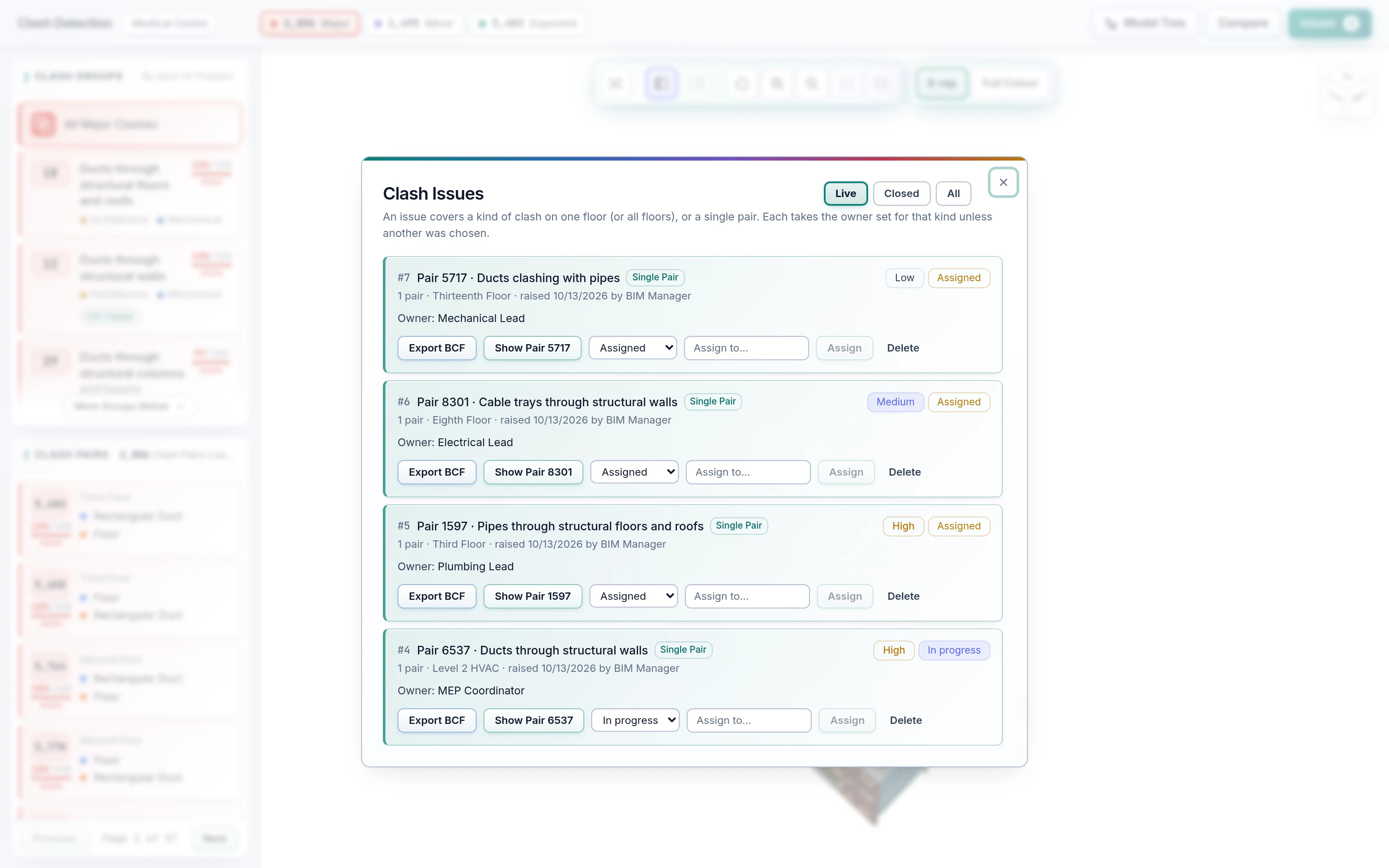
Start a project by dropping the discipline IFC files from any authoring tool. Each file shows its own progress until its clashes are ready. A new model version can be checked before it replaces the active one.
- Several discipline files per project, in any upload order
- Elements present in two files are recognised, not double-counted
- Interrupted imports are marked and can be retried
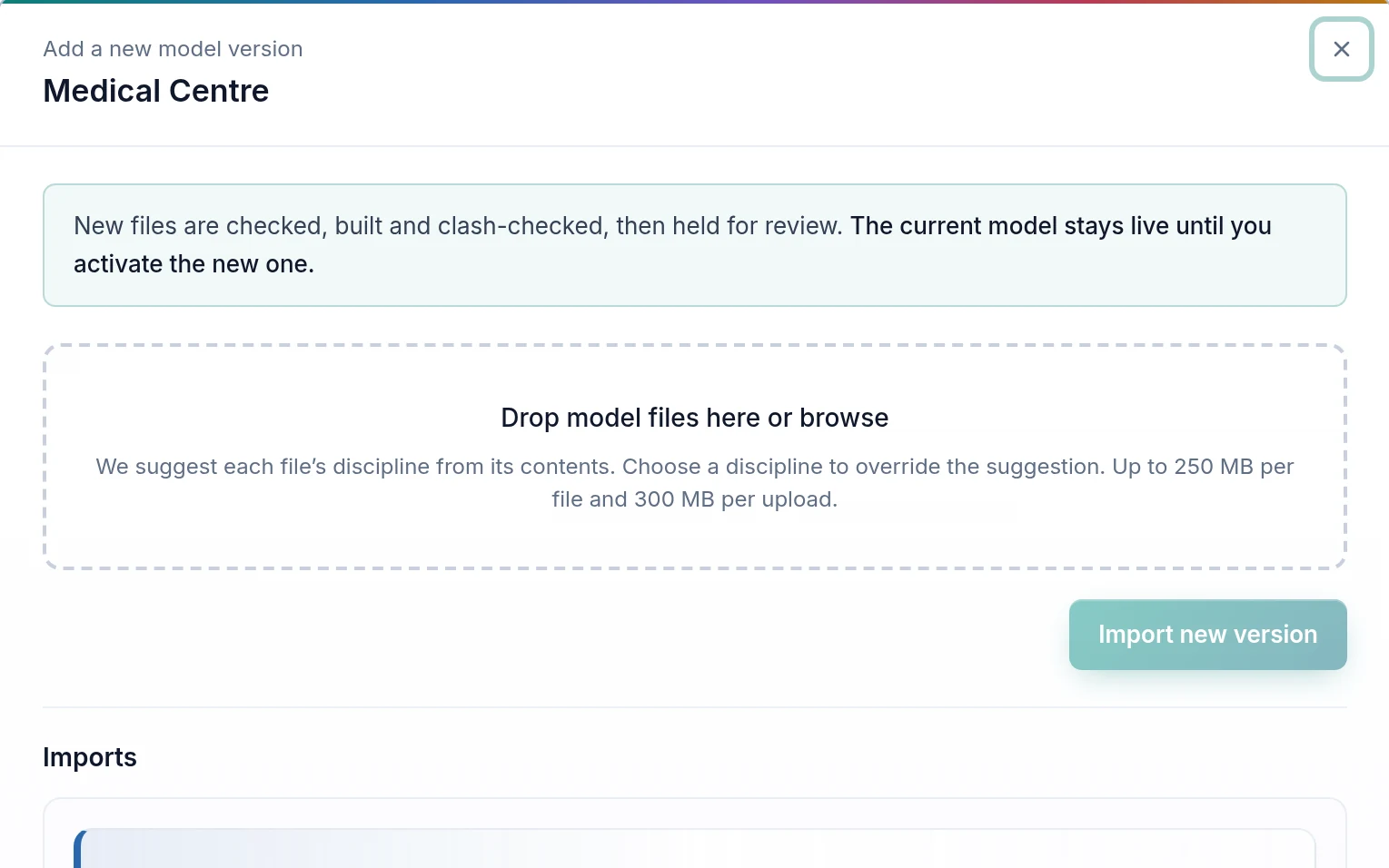
Every clash, classed and explained.
Every element is tested against the others, between and within discipline files. AI Clash Detection then judges each clash from what the model says about it: the two element types and disciplines, how deep the penetration goes, the overlap volume, and whether an opening or host relationship explains it.
- Major: needs a person. Minor: clearance or tolerance. Expected: by design
- Severity 0–100 with a High / Medium / Low band and what added the points
- Clash Groups by root cause, so one decision covers many Clash Pairs
- Rules and thresholds editable by your experts, with sensible defaults
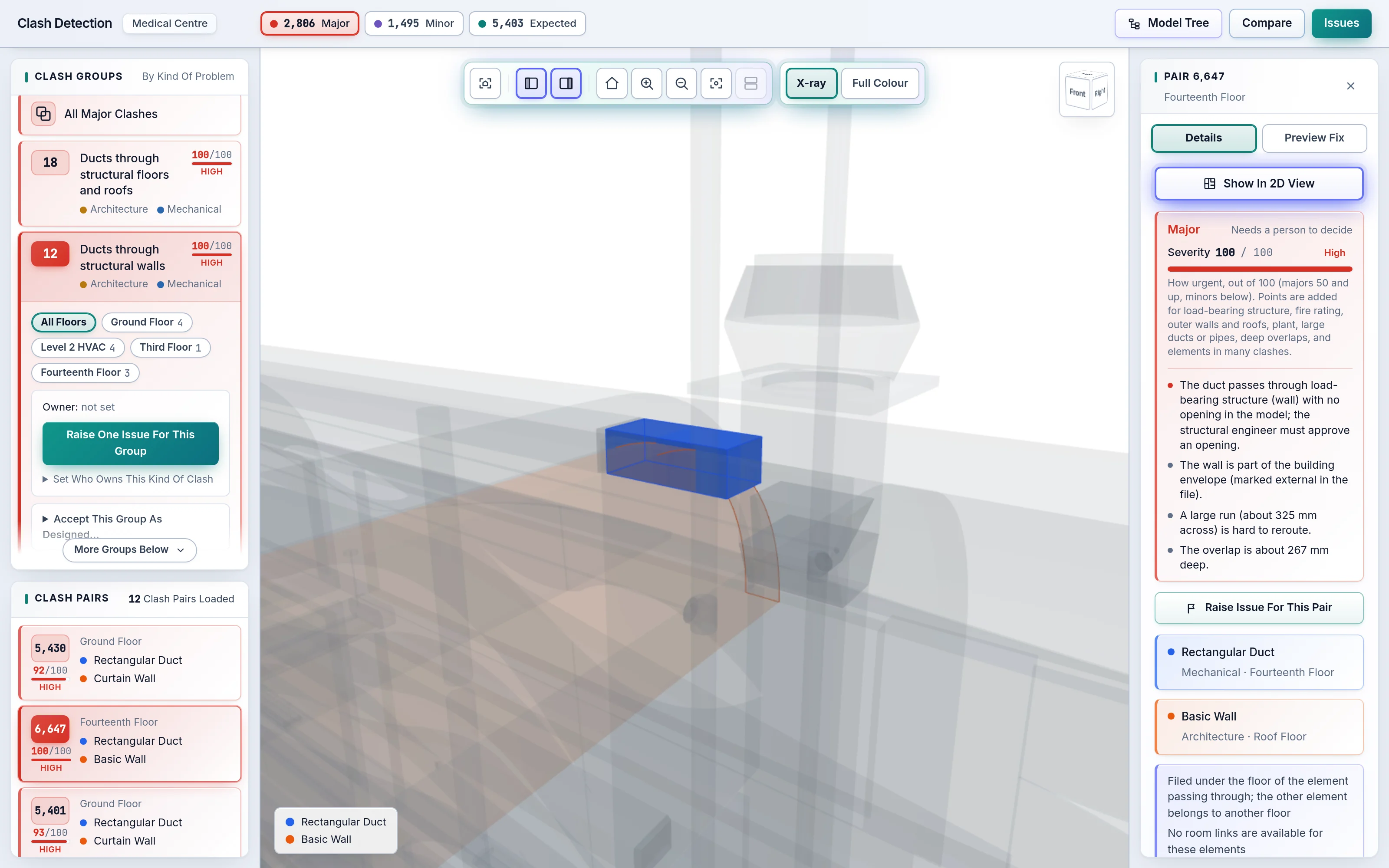
The best move, found and checked for you.
Open a clash and AI Preview Fix searches for the move that clears it while creating the fewest new clashes anywhere in the building, preferring the shortest on a tie. Play the Pre-Fix and Post-Fix views, adjust by hand if you know better, and save the fix for the designer.
- Auto Adjustment and Manual Adjustment side by side
- New clashes a move would cause are named and shown in 3D
- Saved fixes travel with the clash and its issue
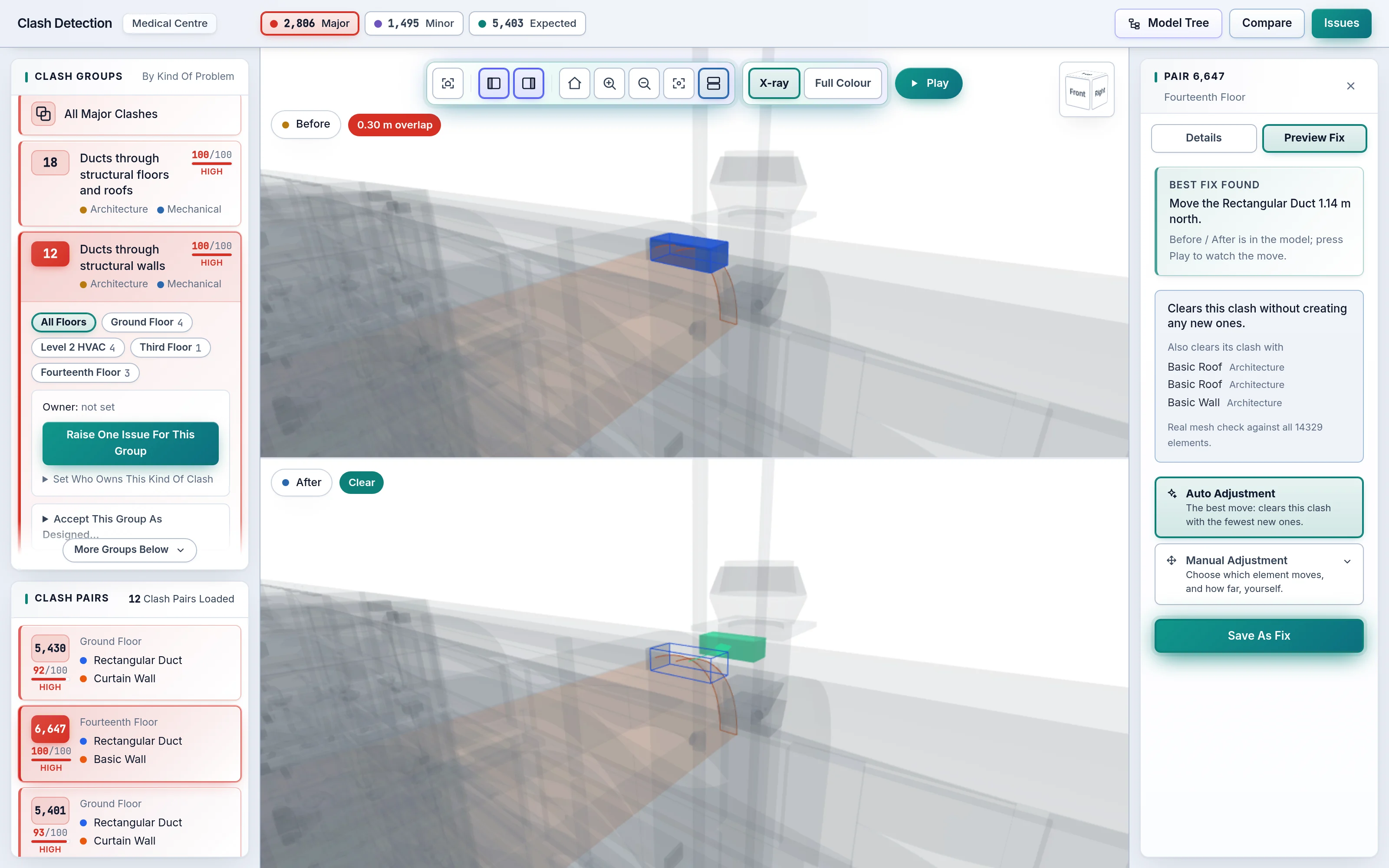
Issues that raise and assign themselves.
Rules raise an issue for every new clash group of the kinds you choose, and AI Auto-Assignment sends each one to the engineer who resolves that kind of clash. Priority comes from the rule or from severity. A clash belongs to at most one live issue, so the same problem is never assigned twice.
- Rule-Based Auto Issue Creation per clash type
- AI-based Auto-Assignment of BCF issues
- Owner, priority and status: open, assigned, in progress, closed
- BCF export, the open issue format most coordination tools read
Building, floor, discipline, type, element.
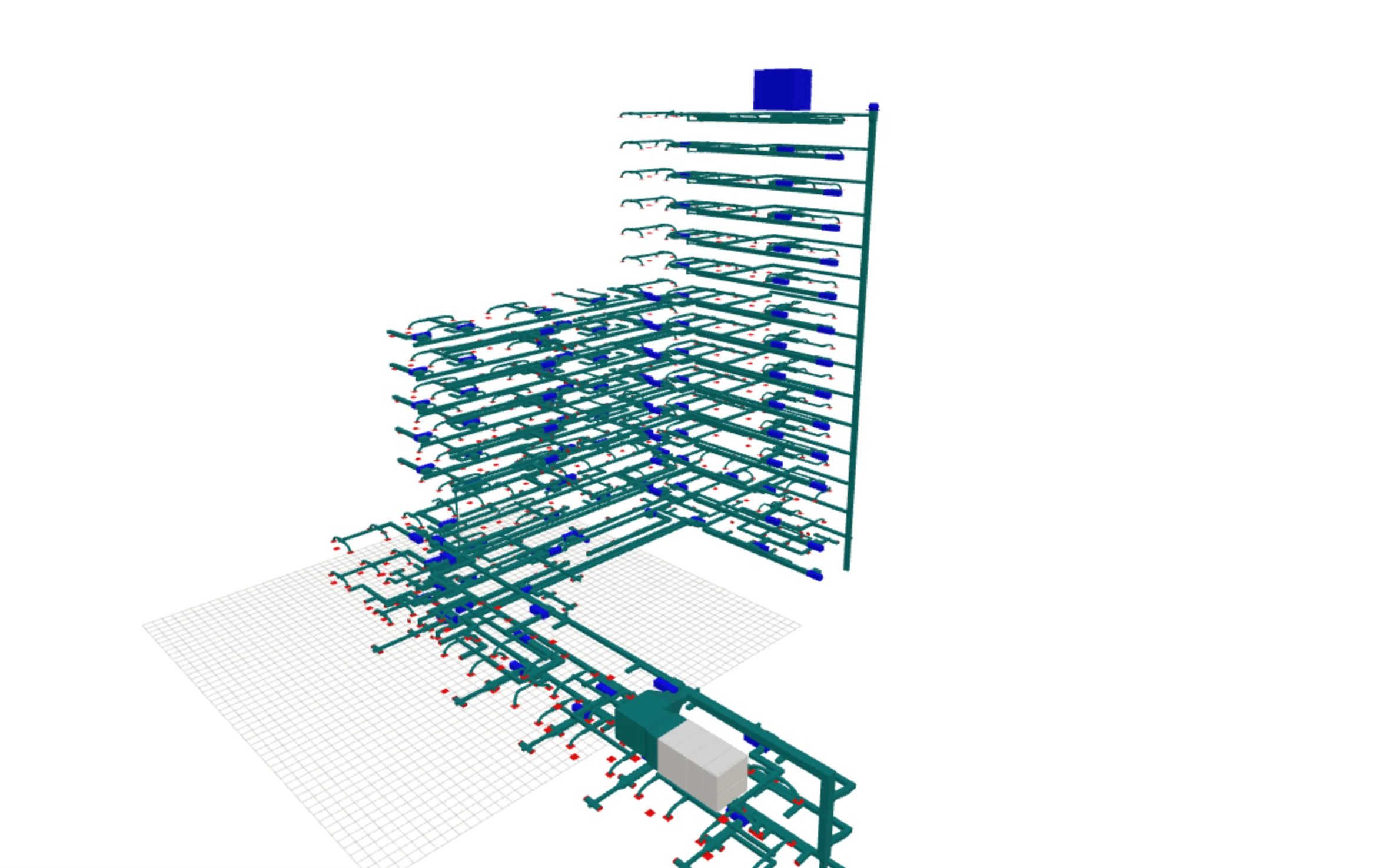
A tree of the whole building with counts on every node, floors sorted by elevation. Choose anything and only that is shown in 3D, in its real colours; choose it again to bring the building back. X-ray turns the rest to glass when you need context.
- By floor or by discipline
- Object Parameters: every IFC property of every element
- Elements with no floor are kept, under their own heading
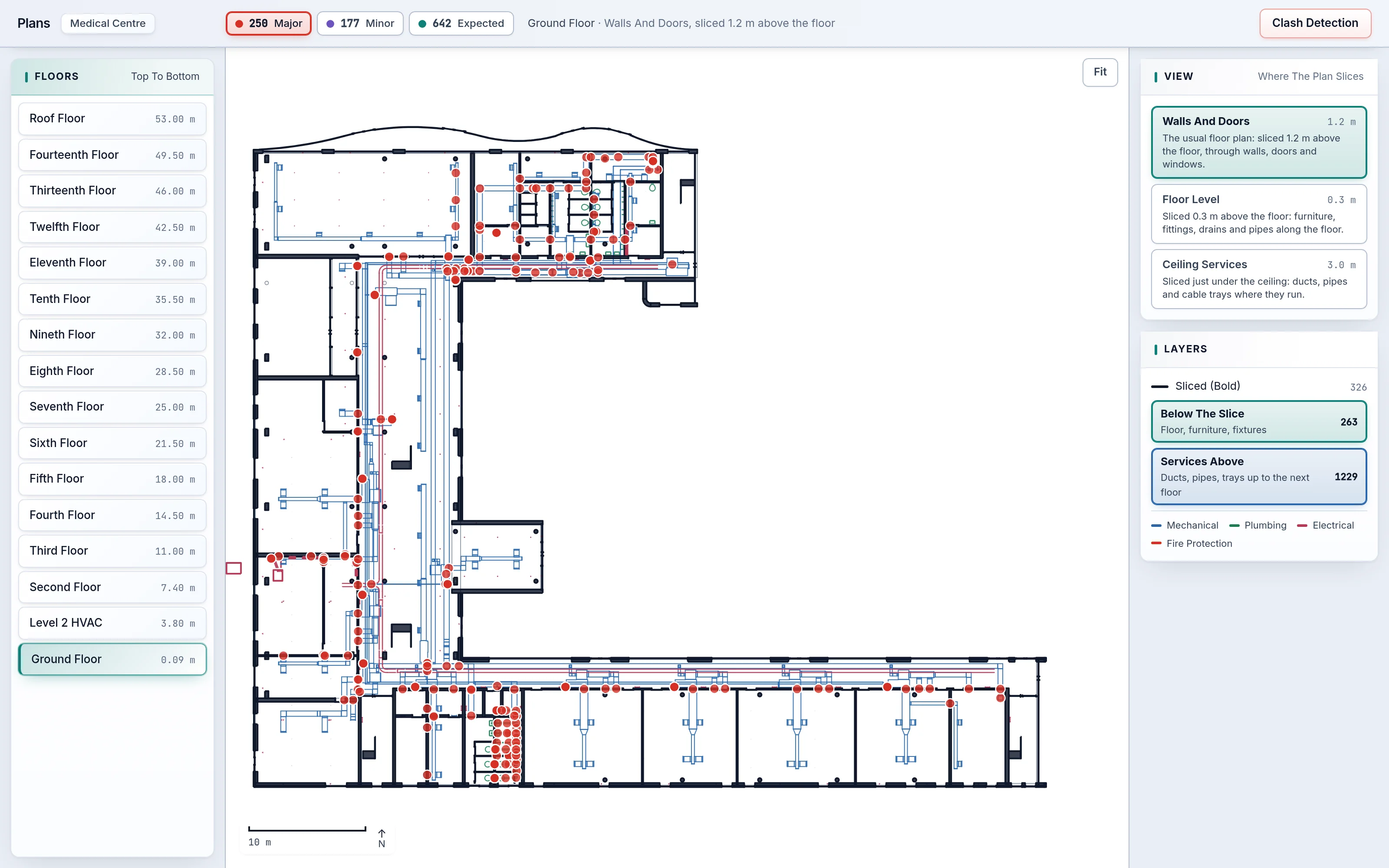
Real section cuts, not a camera from above.
Floor plans are computed from the model: a horizontal cut through every element at wall height, a cut at floor level, and the services above the ceiling as their own layer. Clash markers sit on top; click one to open it in 3D and come straight back.
- Three views per floor, discipline-coloured overlays
- Works even when the IFC carries no 2D drawings
- Click an element for the same inspector as in 3D
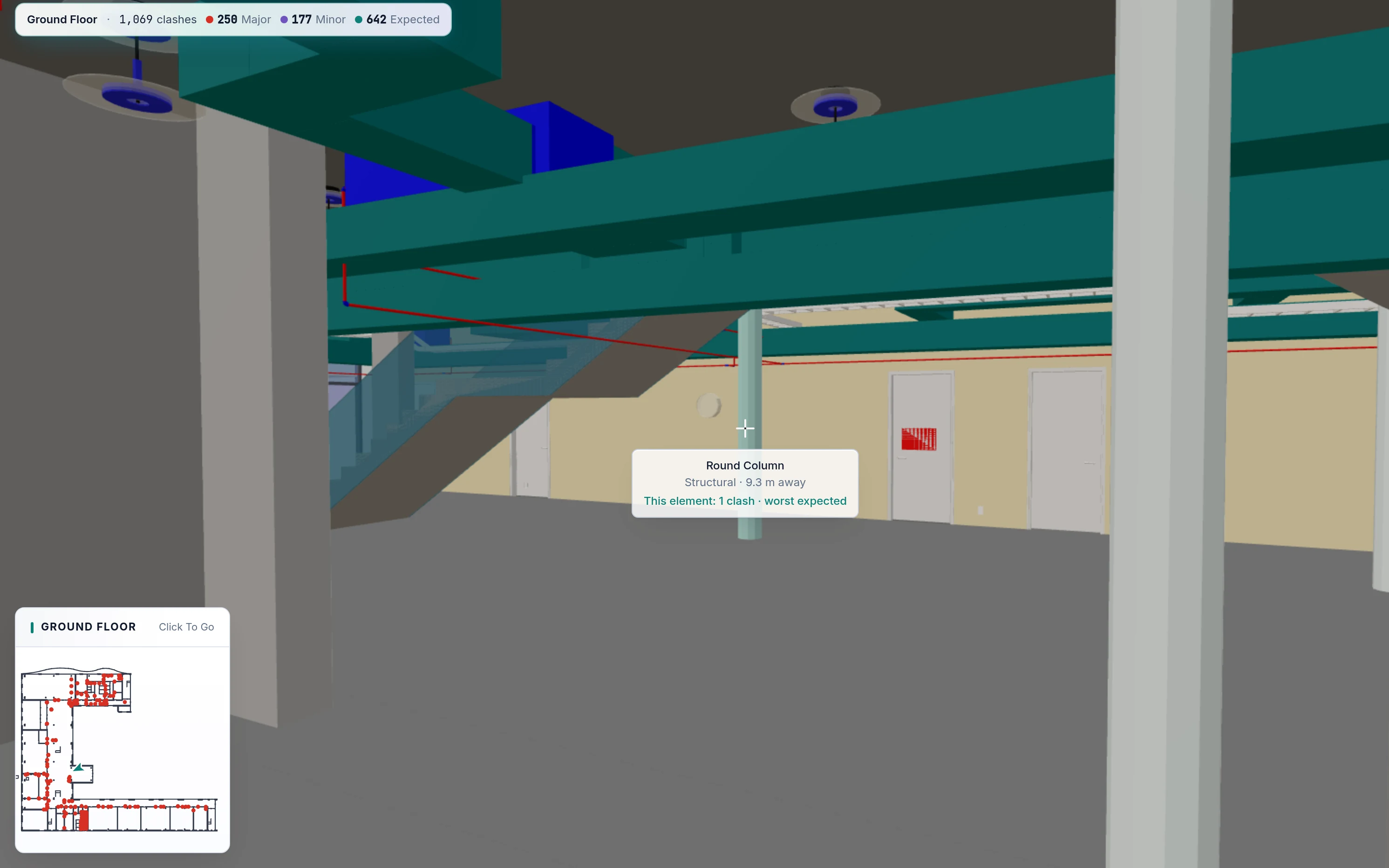
Walk the building at eye height, or stand inside it.
Keyboard and mouse, like a game: you stay on the floor, climb stairs and pass through every door. A mini-map shows where you are on the plan, and “Next Clash” takes you to the next problem on the floor. Virtual Reality Mode puts the same building in a headset at true scale.
- Aim at an element to see what it is and whether it clashes
- X-ray on a key press
- Virtual Reality Mode for immersive design review
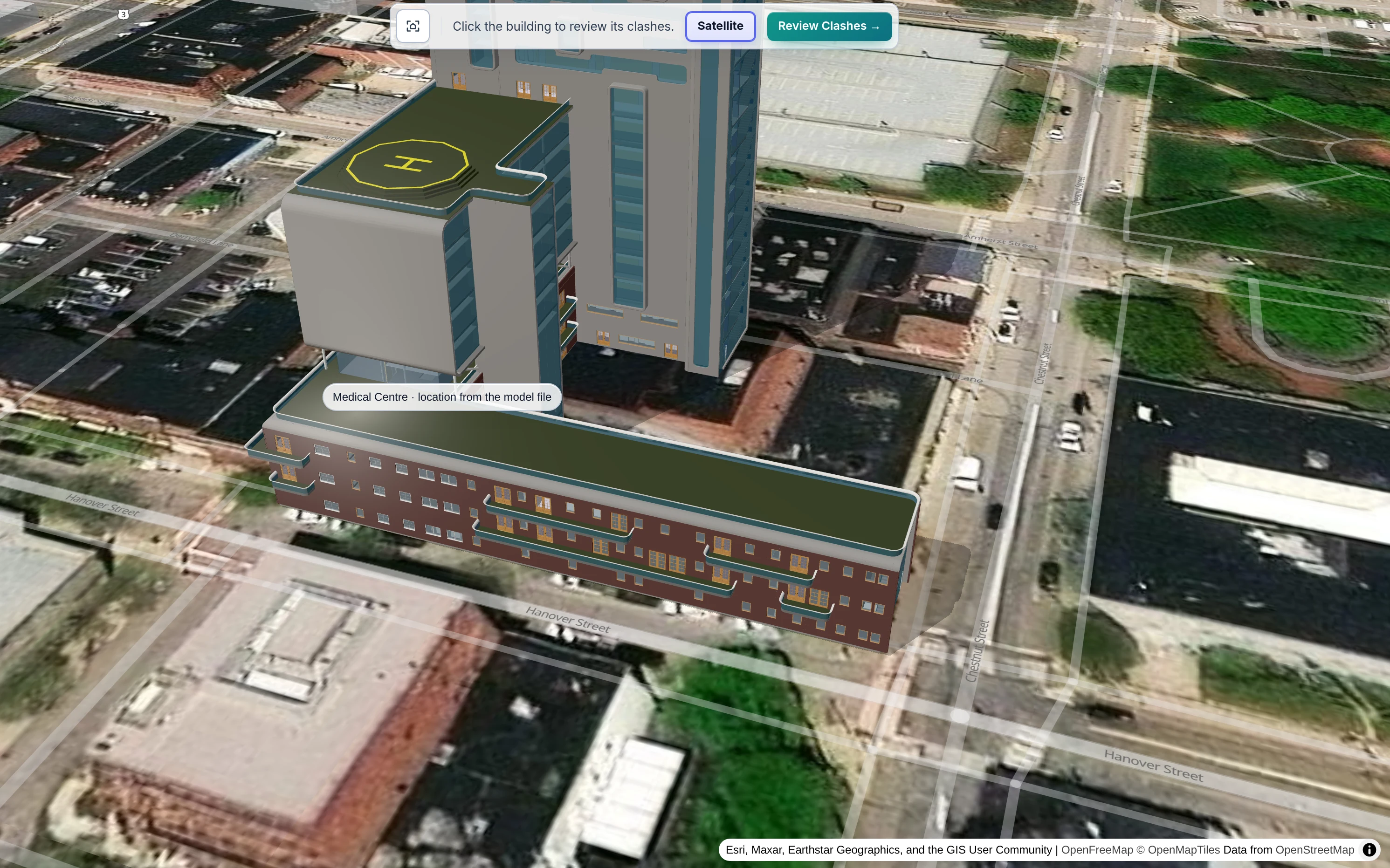
The building in its real surroundings.
The architectural and structural model placed at its real location on an open map, with neighbouring buildings for context and optional satellite imagery, lit like the 3D views.
- Position read from the IFC site or set by an admin
- Open map data, credited as its licence requires
- Satellite imagery when enabled for your organisation
The platform pieces that keep a project tidy.
Workspaces And Versions
Each project has its own model versions. Check a new version first, then make it active; the previous one stays available.
Run-To-Run Comparison
Compare this clash result with any earlier run: what is new, what was resolved, what is still open.
Ask The Building
Ask plain-language questions about the model and its clashes, such as which floors have the most Major clashes, and get answers straight from the building data.
Looking for something specific? Ask us; new tools join the platform as teams ask for them.
See your own model in SpaceDesignX.
Send us an IFC set you know well. We will run AI Clash Detection on it live and walk you through what it finds, what matters and the fixes it proposes.