SDX TrueSpaceDefects And Handover

Built As Designed. Handed Over Complete.

SDX TrueSpace follows quality from the last Industry Foundation Classes (IFC) model version to the keys: model checks before construction, defects pinned to the model during it, the built work measured against the design with laser scans, and a complete digital handover at the end.

  • Defects pinned to their place in the model, followed to closure
  • The built work measured against the design, element by element
  • A handover package that shows what is still missing
The SDX TrueSpace Workspace

Every Defect, Scan And Document, Counting Down To Handover.

How ready the building is to hand over, which defects are still open and with which trade, and how closely the built work matches the design.

Handover ReadinessHarbour Tower · Version 4Level 3 · Scan 12 Nov
Handover Ready92%↗ 7% this week
Defects Closed86%↗ 412 of 479
Scan Matches88%↘ 23 elements off
Handover18 Days To Go
Today12 Nov
Practical Completion2 Nov 2026Handover30 Nov 2026
Defects Closed Per Week10 Weeks
66↗ 14% vs last week
W112W1
W218W2
W325W3
W431W4
W544W5
W652W6
W761W7
W858W8
W966Best week so farW9
W1045W10
Open Defects By Trade
67Defects Open
Finishes29
MEP21
Facade17
Why SDX TrueSpace

Four Advantages Over The Tools Teams Use Today.

01

Defects On The Model, Not In Spreadsheets

Typical ToolsSnag lists in spreadsheets and photos on phones, merged by hand every week.

SDX TrueSpaceEach defect pinned to its element or plan location, with photo, trade, priority and deadline.

02

Every Element Measured Against The Scan

Typical ToolsSpot checks with a tape or a total station, only where someone thought to look.

SDX TrueSpaceA laser scan lined up with the model, and every element marked Matches, Off, Not Found or Not Scanned.

03

Handover Gaps Seen Early

Typical ToolsManuals and certificates gathered in the last weeks, and gaps found after the owner moves in.

SDX TrueSpaceCompleteness tracked system by system, so missing documents are chased long before handover.

04

One Model From Design To Keys

Typical ToolsThe as-built record is rebuilt from scratch at the end of the job.

SDX TrueSpaceThe same Industry Foundation Classes (IFC) model used in design carries the defects, scans and handover records.

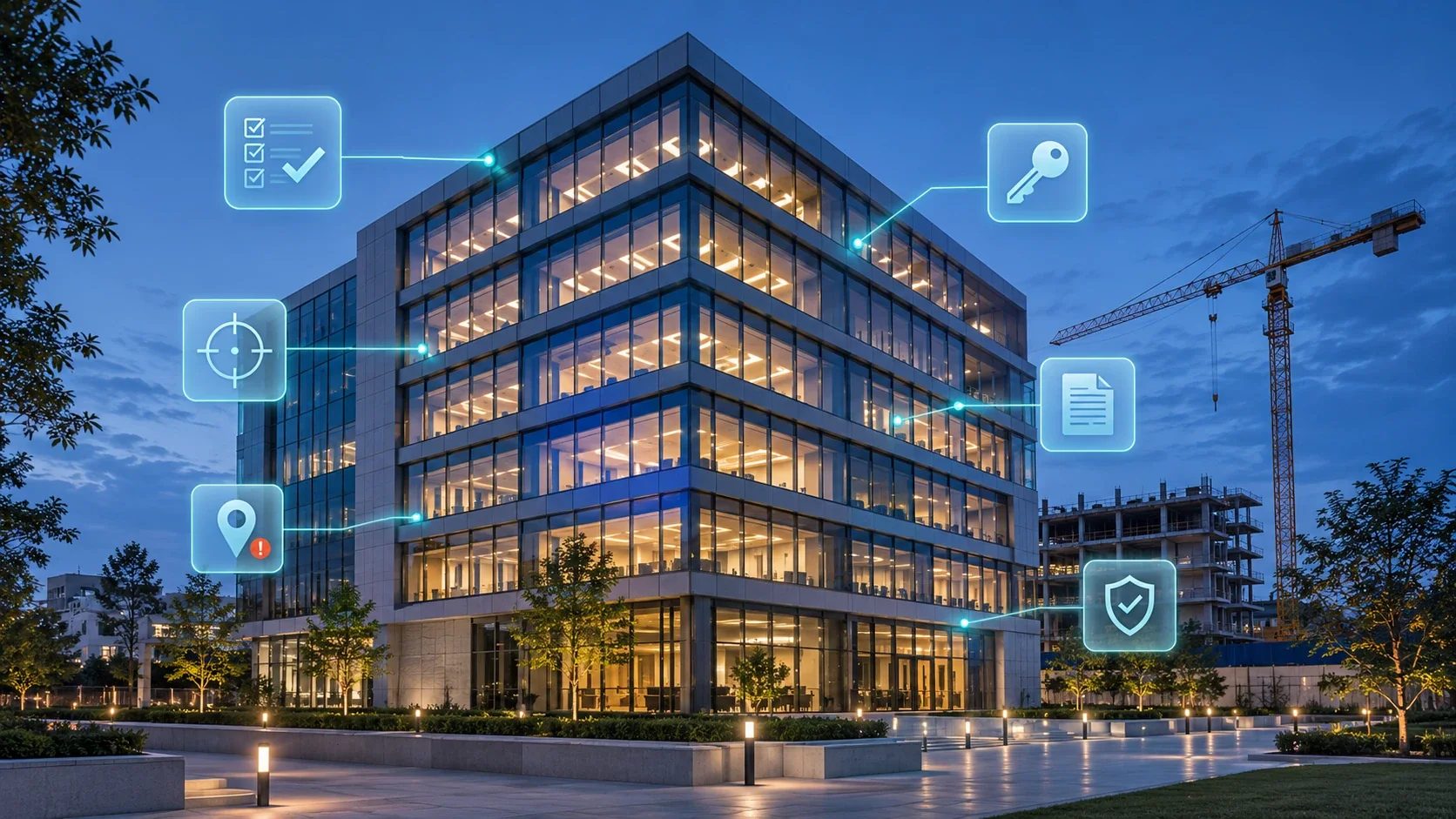
A finished office building at dusk beside a construction site, with checklist, scan target, defect pin, handover key, document and approval readings linked to it
Quality To The Keys

The Last Months Decide What The Owner Lives With.

Defects are listed in spreadsheets, photos sit on phones, the built work drifts from the design without anyone measuring it, and the handover documents arrive in boxes after the owner has moved in. SDX TrueSpace keeps every defect, every scan result and every handover document on the building model, from the first defect to the final handover.

Site And Quality ManagersPin defects where they are, assign them to the right trade and see what is open by floor and age.
Surveyors And Site EngineersCompare the scan of the built work with the design and see what is off, by how much and which way.
Contractors And TradesReceive only your defects, with the place, the photo and the deadline, and close them with proof.
Owners And Facility TeamsReceive a verified as-built model with asset data, manuals and warranties, ready for operation.
The Problem

What Gets In The Way Today.

Snag Lists Go Stale

Defects live in spreadsheets and photos on phones. Nobody knows which are fixed, who holds them, or how long they have been open.

Built Is Not Always Drawn

Work on site drifts from the design. Without measuring the finished building, nobody knows by how much until something does not fit.

Handover Arrives Incomplete

Manuals, certificates and asset data are gathered at the last minute, and the owner starts operating a building whose records do not match it.

How SDX TrueSpace Works

From The Last Model To A Verified Handover.

1

Check The Model

Each version is checked against your quality checks before work starts on site.

2

Record Defects

Defects are pinned to the model or the plan, with photo, trade and priority.

3

Verify On Site

A laser scan of the built work is lined up with the model and measured.

4

Close Out

Trades close their defects with proof; open items are counted by floor and age.

5

Hand Over

As-built model, asset data, manuals and certificates go to the owner as one package.

Inside SDX TrueSpace

What It Does, In Detail.

Defects On The Model

Every Defect In Its Place, With A Name Against It.

A defect is pinned where it is: on the element in 3D or on the floor plan. It carries a photo, a description, the trade responsible, a priority and a deadline. Each trade sees only its own list, closes a defect with a photo as proof, and managers see what is open by floor, trade and age, instead of chasing a spreadsheet.

  • Pinned to the element or the plan, with photos
  • Assigned to the trade, with priority and deadline
  • Open, assigned and closed, counted by floor, trade and age
  • Exported as BCF or a report for the contract record
Defects · Level 3 · 5 Open Of 41
#14Cracked floor tile, corridorFinishesAssigned
#15Door closer missing, room 3.07DoorsOpen
#16Sprinkler head below ceiling lineFireOpen
#12Paint damage, stair coreFinishesClosed
LiDAR Scan Vs Model

What Was Built, Measured Against What Was Drawn.

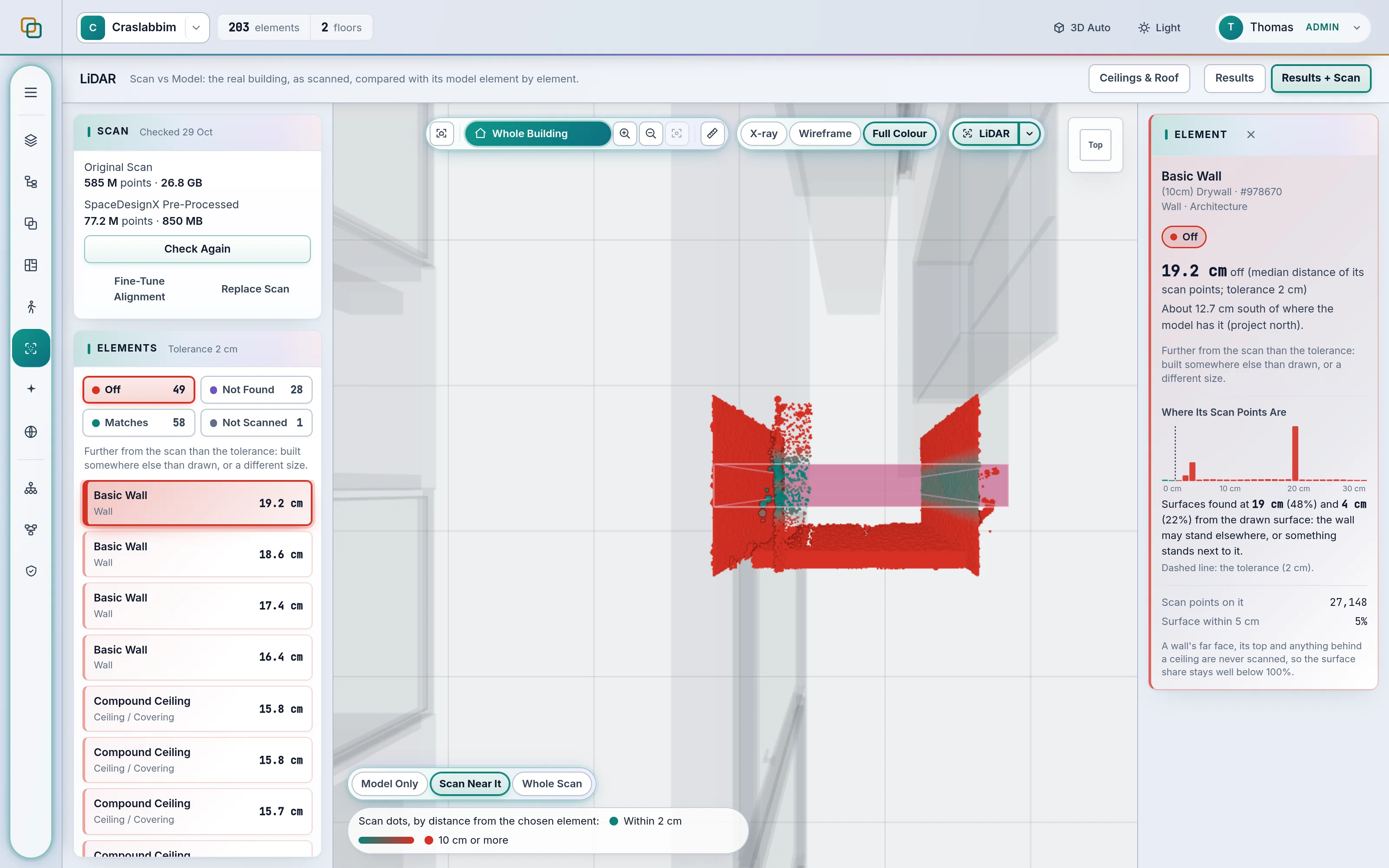
Upload a laser scan as LAS, LAZ or E57. TrueSpace aligns it with the model and measures every element against the scanned surfaces. Each element is marked Matches, Off, Not Found or Not Scanned against a tolerance your team sets, and an element that is off shows how far it is from the design and in which direction.

  • Automatic alignment, fine-tuned by hand when needed
  • Distance and direction for every element that is off
  • The scan appears in the same 3D viewer as the model
  • Replace the scan as the site progresses
SpaceDesignX · LiDAR Element Check
SpaceDesignX LiDAR Element Check screen
Digital Handover

A Handover Package That Shows What Is Still Missing.

The as-built model, the asset register, operation and maintenance manuals, test certificates and warranties are gathered against the building itself. TrueSpace shows how complete each part is and which systems or assets still lack their documents, so the gaps are closed before handover and the owner receives records that match the building.

  • As-built model verified against the latest scan
  • Asset register with each asset's data, linked to the model
  • Manuals, certificates and warranties linked to their systems
  • Completeness by part, so gaps are chased early
Handover Package · Tower A
As-Built ModelVerified against the latest scan100%
Asset Register1,904 of 1,982 assets with data96%
O&M ManualsLinked to 61 of 69 systems88%
Test CertificatesFire, electrical and water92%
WarrantiesExpiry dates recorded74%
Business Benefits

What SDX TrueSpace Does For The Business.

What changes for the organisation, beyond the hours saved, when SDX TrueSpace runs on every project.

A wide concrete hall with rows of rounded skylights and sculpted columns
As BuiltRecords That Match The BuildingDefects, scans and documents on one model

Risk Mitigation

Deviations are found while they can still be corrected, before they are covered up or fail an inspection.

Ecosystem Leverage

Works with the scanners and survey software already on site and with the model the designers delivered.

Faster Close-Out

Trades close their own defects with proof, so the list shrinks every week instead of all at the end.

Owner Confidence

The owner receives records that match the building, ready for operation from the first day.

Questions

SDX TrueSpace, Explained.

What Does SDX TrueSpace Check?

SDX TrueSpace covers quality from the model to the finished building. Every model version is checked for geometry clashes, elements duplicated across files, and element data that is missing or inconsistent. Findings are classed, scored and assigned to an owner. As-built checks compare the model with a laser scan of the real building.

How Are Defects Recorded And Tracked In SDX TrueSpace?

Each defect is pinned to its place in the model or on the floor plan, with a photo, a description, the trade responsible, a priority and a status. Defects are assigned to the right contractor, followed to closure and counted by floor, trade and age, so the snag list is always current and nobody works from an old spreadsheet.

Why Pin Defects To The Model Instead Of A Spreadsheet?

Because a defect pinned to its element cannot be lost or misread. Everyone sees where it is in 3D or on the plan, which trade holds it and since when, and it is closed with a photo as proof. Managers count what is open by floor, trade and age without merging spreadsheets from site.

Can Trades Use SDX TrueSpace On Site?

Yes, in the browser on a tablet, with nothing to install. Each trade sees only its own defects with the place, the photo and the deadline, adds a photo when the work is done and closes the defect for the site manager to check.

What Does The Digital Handover Include?

The verified as-built model, the asset register with each asset's data, operation and maintenance manuals linked to their systems, test certificates and warranties with their expiry dates. TrueSpace shows how complete each part is, so missing items are chased before handover.

How Does LiDAR Scan Vs Model Verify What Was Built?

SpaceDesignX aligns a laser scan (LAS, LAZ or E57) with the model and measures every element against the scanned surfaces. Each element is marked Matches, Off, Not Found or Not Scanned against a tolerance your team sets, and Off elements show the distance and direction.

Which Laser Scanners Work With SDX TrueSpace?

Any scanner whose software can export LAS, LAZ or E57, the open point cloud formats, as well as text point files such as XYZ and PTS. The scan is lined up with the model automatically and can be fine-tuned by hand, and a newer scan replaces the old one as the site progresses.

How Precise Is LiDAR Scan Vs Model?

Each element is measured against the scanned surfaces around it and judged against a tolerance your team sets, for example 10 mm. The result can only be as precise as the scan and its alignment, so every element that is off shows its distance and direction, and the alignment can be checked and adjusted.

Can We Set Our Own Quality Checks?

Yes. Checks and thresholds are settings that your own experts edit. They decide what counts as Major, which findings become issues and who the issues go to.

Can We See Whether Quality Improves Between Model Versions?

Yes. Comparing two runs shows which clashes are new, which were resolved and which are unchanged, and the Analytics page shows clashes per version and issues over time.
All Questions

Close Out Your Next Project With Nothing Missing.

Show us how defects and handover run on your projects today. We will set up SDX TrueSpace on one of your buildings and walk you through it.