Find It In The Model. Not On The Slab.
A clash found in the model costs minutes. On site it costs a rework order, an RFI and a delay. SpaceDesignX helps the contractor's team find, follow and close those problems before the work is built, and check the work after.
Make The Early Check Automatic.
- Cloud clash detection on every model drop, so the check does not depend on someone finding the time
- Clashes ranked, so the few that stop work are not buried among the many that do not
- Issues assigned to the right trade and followed to closure, with owner, priority and status
- 2D floor plans with clash markers, so a foreman can read the problem at the level it is on
Walk The Building Before It Is Built.
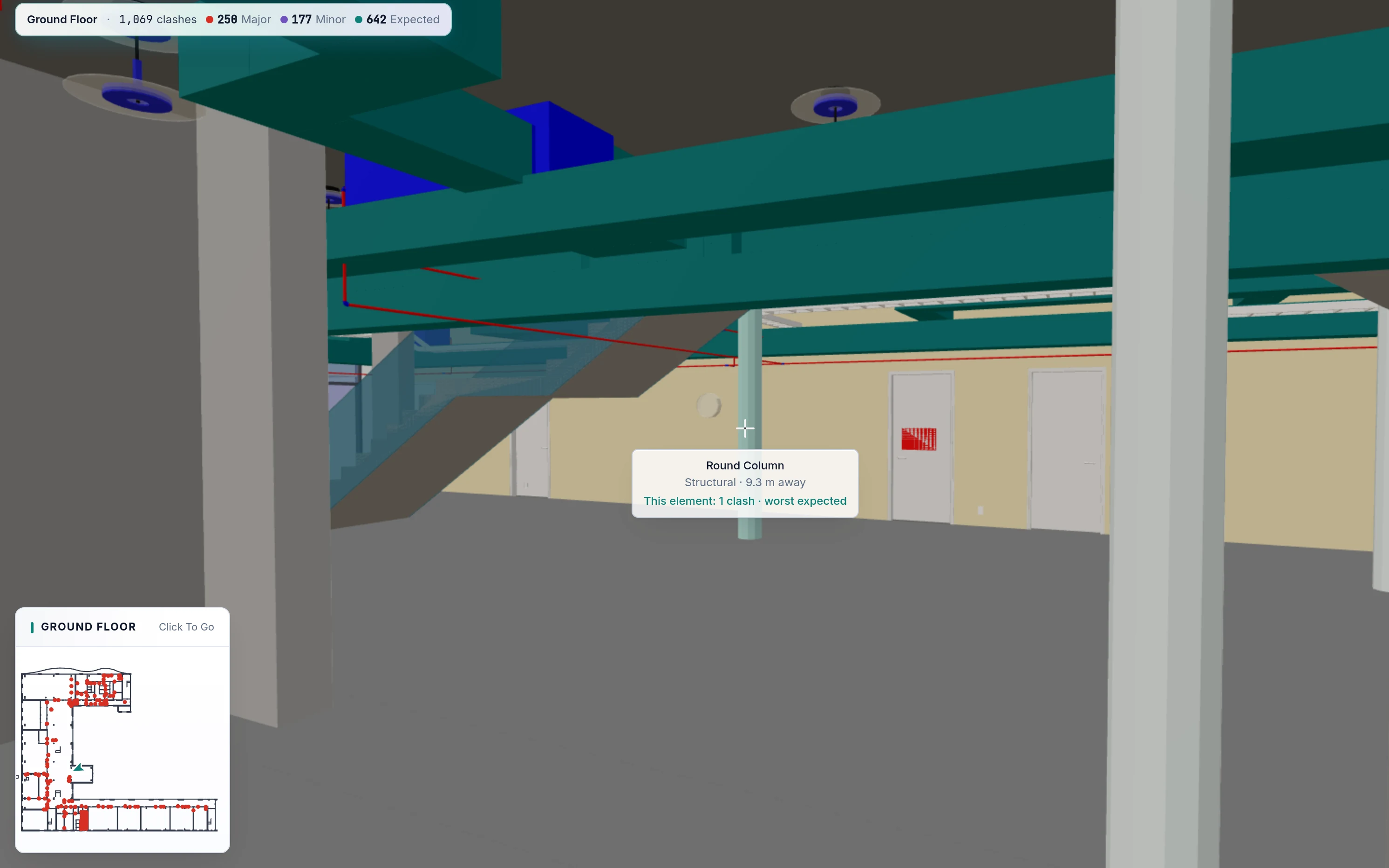
Walk Mode takes the site team through the model at eye height, up the stairs and through every door, with a mini-map and a Next Clash button. Aim at an element to see what it is and whether it clashes. Virtual Reality Mode puts a person inside the same building at true scale.
Check What Was Built Against What Was Drawn.
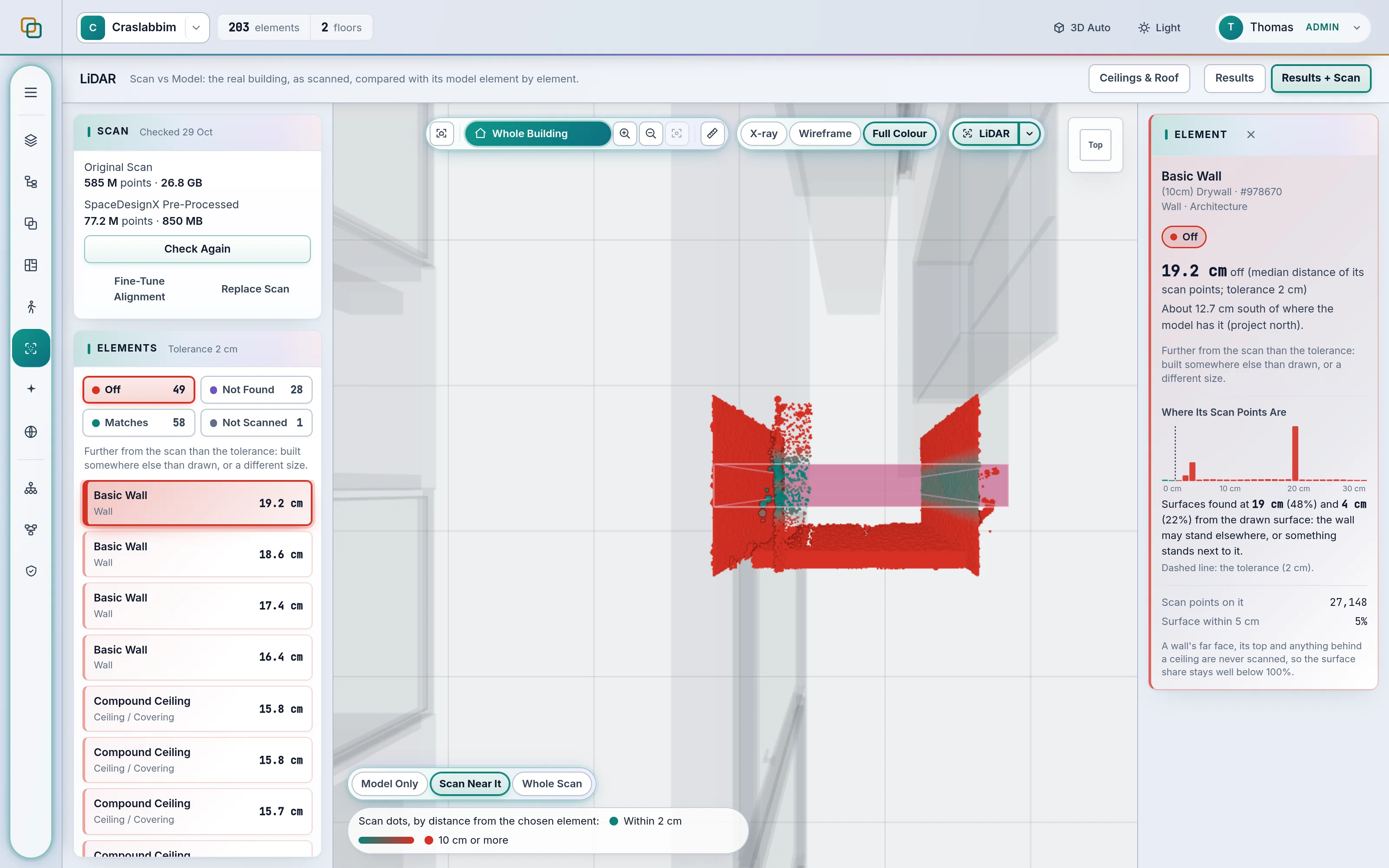
Upload a laser scan of the finished work as LAS, LAZ or E57. SpaceDesignX lines it up with the model and measures every element against the scanned surfaces, so you can see what stands where it was drawn, what is off and by how much.
Common Questions.
Can I Walk Through The Model Or Review It In Virtual Reality?
Yes. Easy Walk Mode is a first-person walk that stays on the floor, climbs stairs and goes through every door, with a mini-map and a Next Clash button. Virtual Reality Mode puts you inside the same building at true scale.
Can I See 2D Floor Plans And Dimensions From My Model?
Yes. 2D floor plans are real horizontal cuts through the model, even when the IFC carries no drawings. One click adds overall sizes, wall dimensions, room sizes and areas, and door and window tags, and a scaled PDF sheet can be exported.
How Does LiDAR Scan Vs Model Verify What Was Built?
SpaceDesignX aligns a laser scan (LAS, LAZ or E57) with the model and measures every element against the scanned surfaces. Each element is marked Matches, Off, Not Found or Not Scanned against a tolerance your team sets, and Off elements show the distance and direction.
Can AI Resolve Clashes Automatically?
AI proposes, the engine checks, and a person decides. For a clash, SpaceDesignX finds the move that clears it while creating the fewest new clashes, checks that move against every element in the building and shows the building before and after. A person reviews it and saves it with the issue.
See Your Own Model In SpaceDesignX.
Send us a model you know well. We will walk you through it live in the products that fit your work: approvals, clash detection, defects and handover, or carbon.