Design With The Code And The Clashes In View.
The people who build the model should hear about a code problem or a clash while it is still a line in the design. SpaceDesignX checks every model drop against the building code and the other disciplines, sorts the result and sends each finding to the person who can fix it.
Most Of Coordination Is Sorting, Chasing And Re-Checking.
Someone opens the combined model, runs the check, and exports a list. The list has thousands of rows. Sorting out the planned penetrations, grouping the repeats, assigning the real ones and chasing them to closure takes more time than finding them did. The code check happens even later, at submission, when a change is expensive. Next week the models change and it starts again.
The Platform Does The Routine, You Do The Design.
Code Checked As You Design
SDX Zynora checks each model version against the building code, so a short exit stair or a missing accessible toilet shows up long before submission.
Runs On Every Drop
Clash detection runs in the cloud on each new model version. The results are classed, grouped and waiting when you log in.
Decide Once Per Group
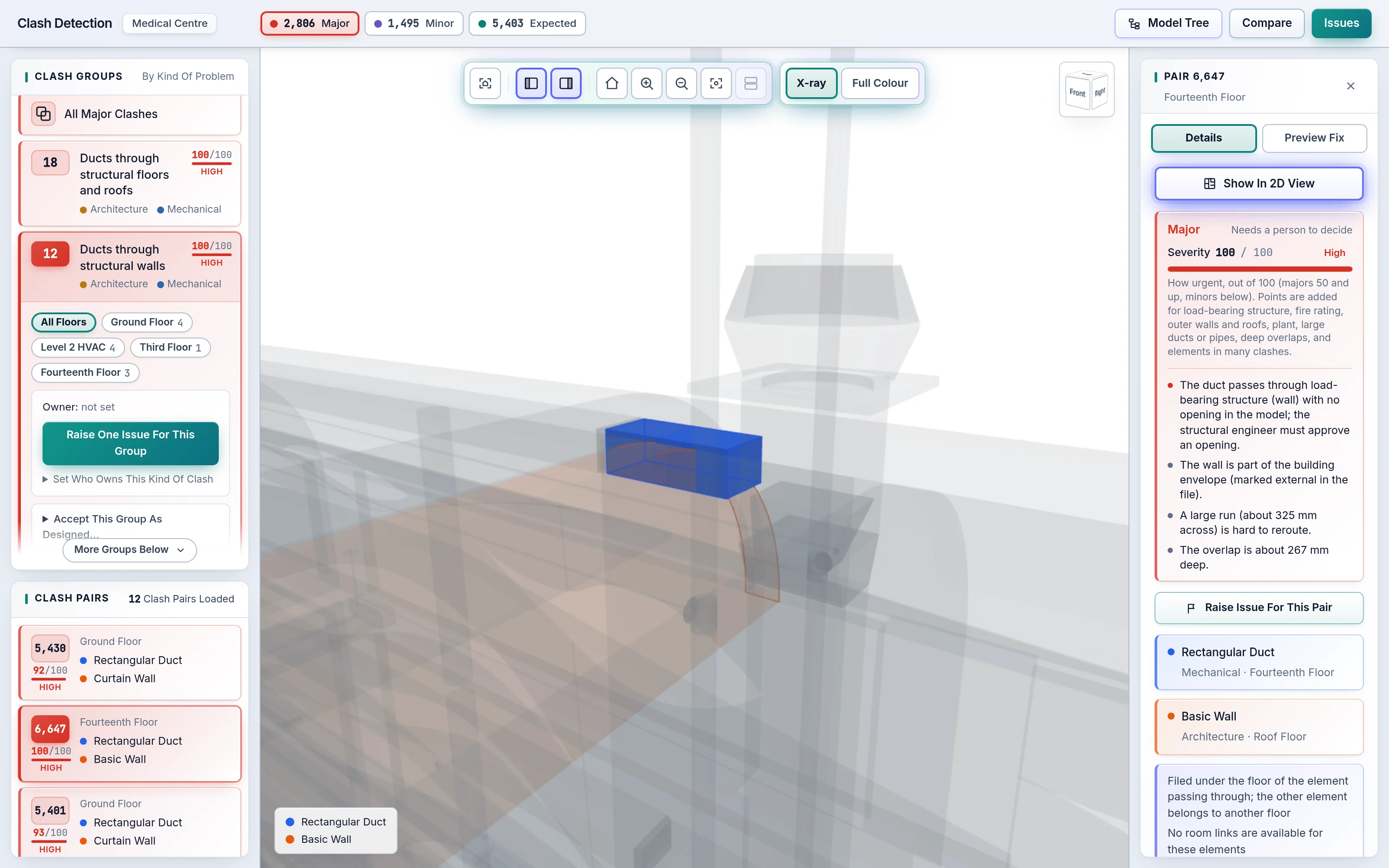
Clash Groups collect the pairs that share one cause, so a decision covers many clashes.
The AI Coordinator Raises Issues
The AI Coordinator opens the issues and assigns them, the way your team has set it up. One live issue per clash, so nobody is asked twice.
Version Comparison
See which clashes and code findings are new, resolved or unchanged between any two versions.
Open Formats
IFC in, BCF out. You keep your modelling tool and receive each issue with its viewpoint.
The Intelligence Works The Way Your Team Does.
What counts as Major, which clashes become issues and who they are assigned to are settings your team can edit. The reason behind every verdict is shown, so any decision can be defended in a design review or a coordination meeting.
Common Questions.
What Is AI Clash Detection, And How Is It Different From Traditional Clash Detection?
AI clash detection goes beyond listing overlaps. Traditional tools report every geometric overlap and leave the sorting to people. SpaceDesignX classes each clash as Major, Minor or Expected with a 0 to 100 severity and its reason, collects related clashes into Clash Groups, and proposes a fix that is checked against the whole building.
What Is A Clash Group?
A Clash Group is a set of clash pairs that share one cause, such as ductwork passing through one slab. Deciding once for the group settles all of its pairs, which turns hundreds of rows into a short list of decisions.
What Is Headless Clash Detection?
Headless clash detection runs on the server instead of on someone's desktop. Upload the IFC files and the check runs in the background in the cloud; the results are ready in the browser without anyone opening the model or keeping a laptop awake.
How Long Does A Clash Check Take?
Seconds to minutes, even for hospital-scale models with tens of thousands of elements. The check runs in the cloud in the background, and the model can be opened and viewed while it runs.
Can We Set Our Own Quality Checks?
Yes. Checks and thresholds are settings that your own experts edit. They decide what counts as Major, which findings become issues and who the issues go to.
See Your Own Model In SpaceDesignX.
Send us a model you know well. We will walk you through it live in the products that fit your work: approvals, clash detection, defects and handover, or carbon.